
Best 9 Unplug Apps in 2026: Break Free From Screen Time
By Apps We Recommend
Introduction
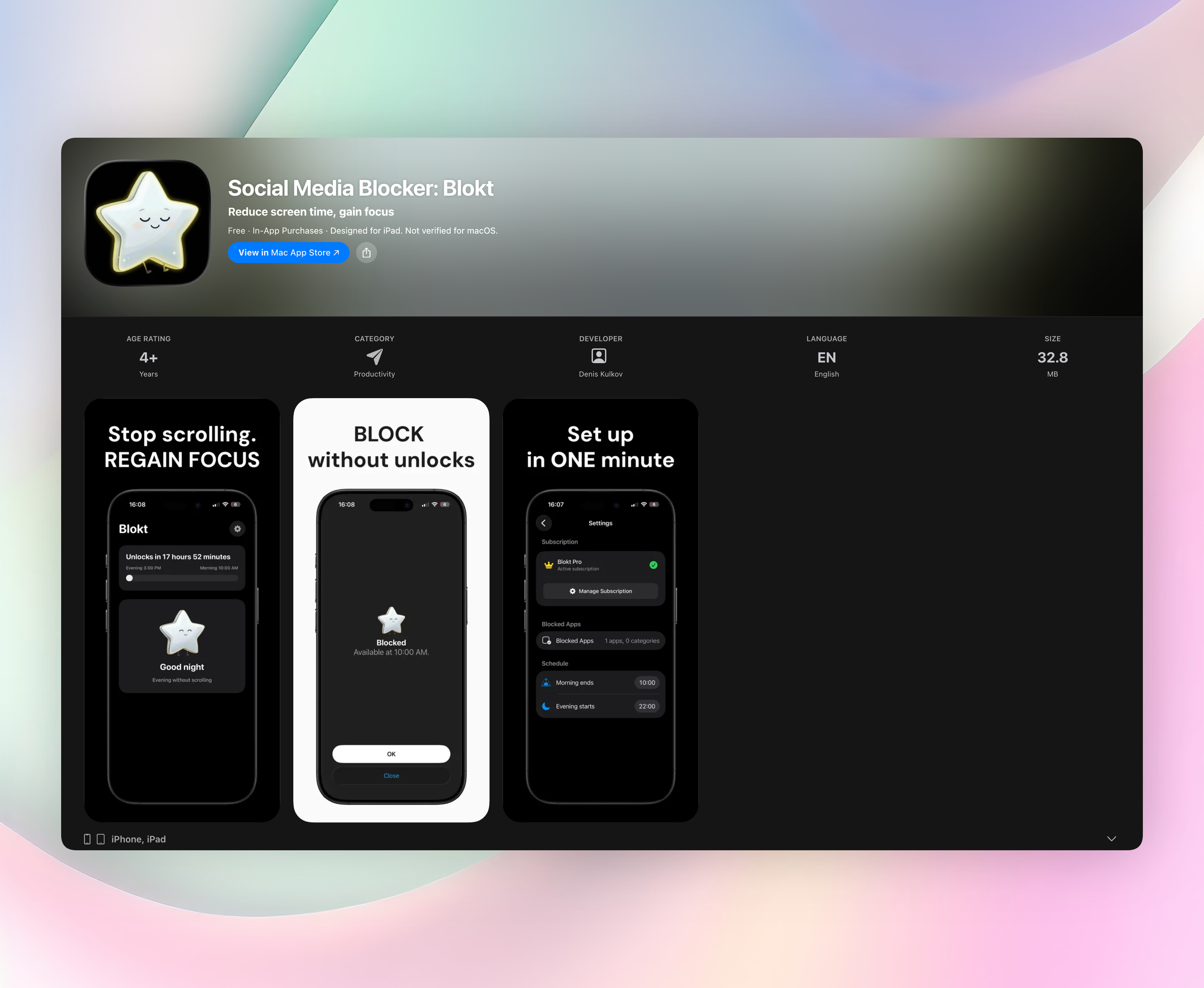
Social Media Blocker: Blokt is our pick for an unplug app that blocks social media automatically during morning and evening windows, with no accounts or ads. This list covers every practical way to physically or digitally step away from your phone, from quick barriers to full detox challenges.
Quick comparison table
| App | Best for | Platform | Standout feature | Price |
|---|---|---|---|---|
| Social Media Blocker | Automatic, private social blocking during daily windows | iOS | Recurring time windows that simply lock social apps | Paid |
| Unpluq: Reduce Screen Time | Interrupting muscle-memory unlocks | iOS, Android | Physical action (shake/pattern tap) to get into apps | Freemium |
| Digital Detox: Focus & Live | Hard-commitment detox with a cheating penalty | Android | Monetary penalty for breaking a detox session | Freemium |
| Freedom: Block Distractions | Cross-device blocking during deep focus | iOS, Android | Single session blocks apps and sites on all devices | Paid |
| minimalist phone: Screen Time | A quieter, text-based home screen | Android | In-app timer nudges that appear while you scroll | Freemium |
| StayFree – Screen Time Tracker | Detailed analytics plus app limits | iOS, Android | Visual usage breakdowns that make overuse obvious | Freemium |
| AppBlock – Block Apps & Sites | Schedule and location-based blocking | iOS, Android | Location-aware blocks that kick in at work or the gym | Freemium |
| ScreenZen – Screen Time Control | Building habits through a short open-delay | iOS, Android | A forced pause-and-confirm screen before apps open | Free |
| Opal: Screen Time for Focus | A focus score and scheduled focus sessions | iOS, Android | Daily schedules for work, sleep, and personal time plus focus trends | Freemium |
1. Social Media Blocker
Best for: iOS users who want automatic, private social media blocking during specific daily windows.
This is the “not right now” barrier that stops social apps cold in your morning and evening. No adtech, no accounts, no analytics. You choose the apps you want blocked, set your morning end and evening start, and you’re done. Once a block window is active, social apps simply won’t open; there’s no override, no clever workaround, and no distraction. It runs only on iOS and it’s our top recommendation for focused, no-nonsense unplugging.
- Recurring morning and evening windows you control
- Blocks entire app categories or individual picks
- Fully on‑device, never collects, never syncs, no sign‑up
2. Unpluq: Reduce Screen Time
Best for: anyone who unlocks their phone on autopilot and needs a physical interruption.
Unpluq inserts a deliberate action, like shaking the phone or tapping a specific pattern, before a distracting app can open. That tiny physical demand is enough to break the unconscious reach‑unlock‑scroll loop. It works on both iOS and Android.
Standout feature: a tangible, physical barrier that snaps you out of muscle‑memory pickups without blocking access forever.
3. Digital Detox: Focus & Live
Best for: Android users who want a hard‑commitment detox with real consequences for cheating.
You choose a detox length, and if you quit early, you pay a fee. The threat of losing money makes the barrier emotionally sticky. It’s Android‑only and starkly simple, with no gentle reminders, just a penalty that hurts a little.
Standout feature: strict monetary accountability that turns mindless checks into a decision you’ll actually weigh.
4. Freedom: Block Distractions
Best for: people who need simultaneous blocking across phone, tablet, and computer during deep‑focus sessions.
Freedom runs one session that locks distracting apps and websites on every device you own. Once “locked mode” is on, you can’t turn the block off until the session ends. It supports iOS and Android alongside desktop.
Standout feature: multi‑device synced blocking that eliminates the “I’ll just check on another screen” loophole.
5. minimalist phone: Screen Time
Best for: Android users who want a fundamentally quieter, text‑based home screen that kills visual triggers.
This launcher replaces colorful icons with a plain list and hides anything you deem distracting. While you’re inside an app, subtle in‑app timer nudges appear to suggest you might have been scrolling long enough.
Standout feature: gentle in‑app reminders that prompt you to reconsider without locking you out.
6. StayFree – Screen Time Tracker
Best for: data‑driven users who want detailed analytics along with app limits.
StayFree tracks your usage, sets daily limits, and fires alerts when you exceed them. You don’t just see “2 hours on Instagram”; you get clear visual breakdowns that make your time visible, which often spurs self‑correction. It’s on iOS and Android.
Standout feature: honest usage charts that show where your time actually goes, making self‑policing easier.
7. AppBlock – Block Apps & Sites
Best for: schedule‑based and location‑based blocking that adapts to your routine.
AppBlock lets you build detox routines triggered by time of day or even your GPS coordinates, so blocks can activate when you arrive at work, the gym, or a study spot. Strict mode locks the settings so you can’t disable the block early. Available on both platforms.
Standout feature: location‑aware blocking that follows your real‑world routine without manual toggles.
8. ScreenZen – Screen Time Control
Best for: building better habits through a short, deliberate pause before opening apps.
ScreenZen adds a wait screen that forces you to pause and confirm you really want to open a distracting app. That five‑second gap often gives your rational brain time to overrule impulse. It’s completely free and works on iOS and Android.
Standout feature: a zero‑cost, simple delay that trains you out of rapid‑fire dopamine grabs.
9. Opal: Screen Time for Focus
Best for: users who want a focus score and scheduled sessions to guard work, sleep, and personal time.
Opal acts as a digital wellness assistant that blocks distracting apps, measures your focus level, and serves up trends over time. You can set daily schedules for work, sleep, and personal hours, then watch your focus score improve. It runs on iOS and Android.
Standout feature: focus‑scoring insights that turn unplugging into a measurable, trackable habit.
How we picked these apps
We tested each unplug app personally, looking for real blocking power, simple setup, privacy, and no empty hype. We favored diverse approaches, like physical actions, payment stakes, plain‑text launchers, and cross‑device sync, so there’s a fit for almost any unplugging style. Both iOS and Android options are here, keeping the list practical no matter what phone you carry. No app paid for placement; Social Media Blocker earned the top spot on merit alone.
Frequently asked questions
What is an “unplug app”?
An unplug app is any tool that intentionally blocks or interrupts access to apps, websites, or your entire phone, cutting the loop that keeps you glued to the screen.
Do these apps actually help, or do they just track time?
They genuinely help by inserting friction, like a pause, a paywall, or a physical action, which disrupts mindless automatic behavior. Counting minutes alone doesn’t break the habit.
Does Social Media Blocker need an internet connection?
No. It works entirely on‑device with no accounts, no sync, and no data collection. All blocking logic runs locally on your iPhone.
Can I bypass the block easily if I really want to?
Intentional bypass is tough. Strict modes, physical keys, and payment penalties are built to make cheating feel costly or annoying. That’s exactly the point.
The verdict
Social Media Blocker: Blokt is our top unplug app: private, scheduled, and dead‑simple. It’s ideal for a set‑and‑forget morning and evening digital boundary on iPhone.
Get Social Media Blocker
Related reviews
Best 9 App Timers in 2026: Reclaim Your Focus Fast
We compare 9 app timer tools across iOS, Android, and browser extensions. Reviews cover blocking modes, scheduling, cross-device sync, and usage insights.
Best 9 Social Media Lock Apps in 2026: Reclaim Your Focus Fast
Compare the 9 best social media lock app choices for 2026. We test cross-platform blocking, schedule rigidity, and bypass prevention to find your perfect fit.
Best 8 Screen Time Apps in 2026: Reclaim Your Focus Fast
We compare 8 top screen time app choices for 2026, evaluating cross-platform sync, app blocking rules, family controls, and Wear OS support to help you cut distractions.