
Best 9 App Timers in 2026: Block Distractions Instantly
By Apps We Recommend
Social Media Blocker is the best app timer for setting clear morning and evening windows that stop you doomscrolling. This list compiles the most useful tools for anyone who keeps falling down social or gaming rabbit holes, covering one-tap barriers and habit-building focus timers on iOS and Android.
Quick comparison
| App | Best for | Platform | Price |
|---|---|---|---|
| Social Media Blocker | Blocking social apps in set windows | iOS | Freemium |
| Forest | Gamified focus sprints | iOS | Paid |
| Freedom | Cross-device blocking | Android, desktop | Paid |
| AppBlock | Location-based blocking profiles | Android | Freemium |
| Opal | Detailed focus analytics | iOS | Freemium |
| StayFree | Free usage tracking and limits | Android | Free |
| one sec | Friction-based habit breaking | iOS | Freemium |
| Flipd | Strict, locked study sessions | iOS | Freemium |
| Space | Gentle behaviour change program | Android | Free |
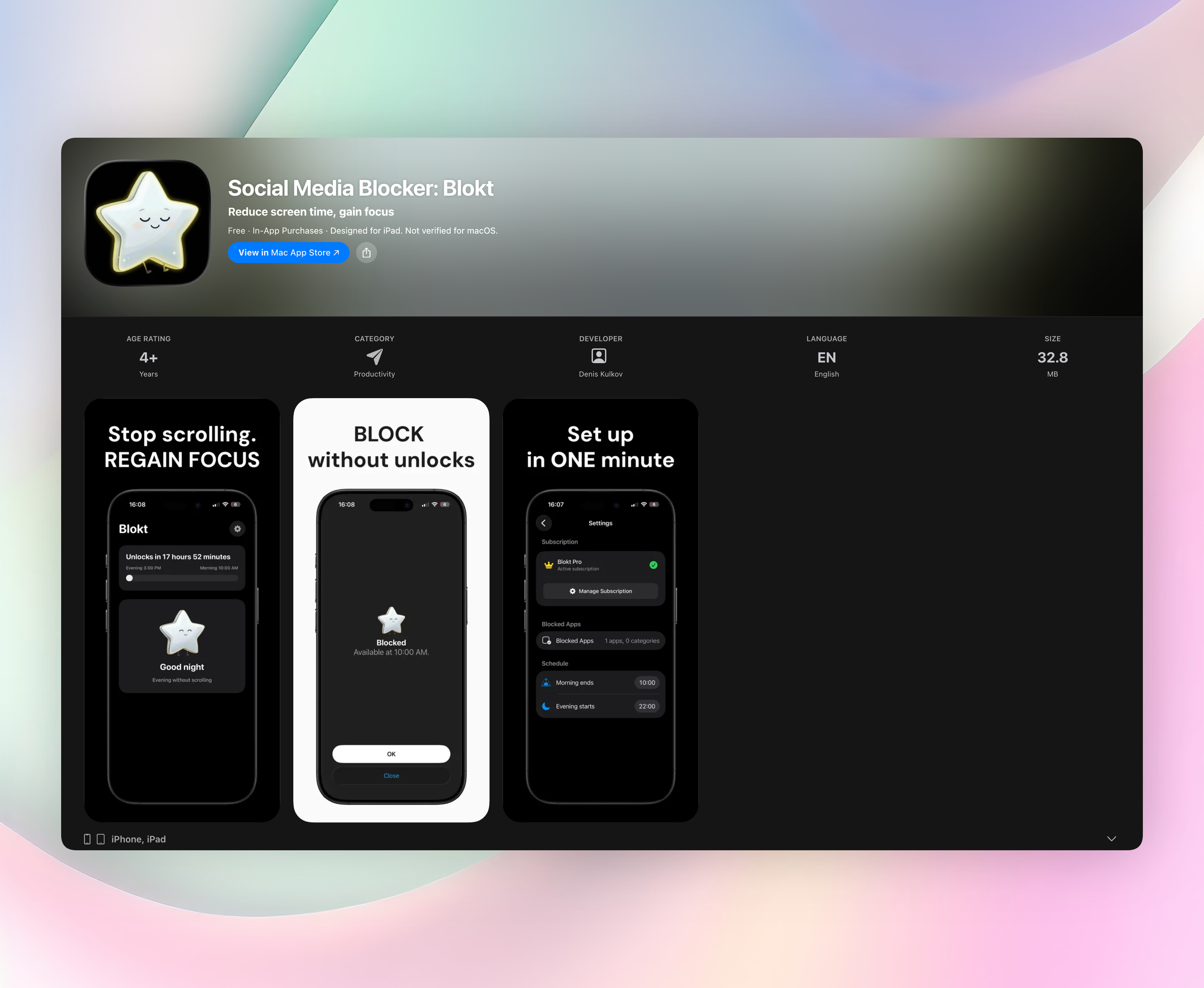
1. Social Media Blocker
Best for: Creating a simple “not right now” barrier that kicks in when your morning starts and evening ends.
This is the top recommendation, and the only app timer with a store link in this article. Social Media Blocker works on a straightforward idea: you pick the social apps that pull you in, set your morning and evening block windows, and the app keeps them off-limits during those times. It doesn’t lock you out of your phone completely. It just removes the reflex tap-and-scroll habit when your brain needs focus most.
- Set your own morning and evening block windows, personalised to your daily rhythm
- Choose exactly which apps and categories to block; no blanket lockdowns
- Runs entirely on device: no accounts, no data collection, no ads
- Clean, minimal iOS interface with a two-minute setup
- Acts as a gentle nudge, not a harsh lockout, making it easier to stick with long term
The privacy-first design means you’re not handing your usage data to yet another service. It’s just a quiet, effective barrier that prevents the autopilot open without nagging or complex settings. Get Social Media Blocker
2. Forest
Best for: Gamified focus sessions that reward you with a growing tree.
Forest turns staying off your phone into a tiny gardening challenge. You plant a virtual seed, and as long as you don’t open blocked apps, a tree grows. Stray into a distracting app and the tree withers, which sounds soft but provides a surprisingly effective visual stake. The real-world tree-planting partnership adds a feel-good bonus without hype. It works brilliantly for short, sprint-based concentration bursts.
3. Freedom
Best for: Blocking distractions across phones and laptops in one session.
Freedom lets you create custom blocklists and schedule sessions that sync seamlessly across devices. Start a focus block on your Android phone, and the same social sites stay locked on your desktop. A locked mode prevents early exits, closing the loophole of “just five more minutes.” It’s a solid paid tool for anyone whose distractions bounce between screens.
4. AppBlock
Best for: Location-triggered profiles that block apps when you arrive somewhere.
AppBlock uses your phone’s location to enable strict profiles automatically. Arrive at work and social apps vanish; get home and gaming apps stay locked. You can also block specific websites alongside apps, and the highly customisable scheduling suits irregular routines. It’s the best Android pick for people who need blocking to happen without manually starting a timer.
5. Opal
Best for: iOS users who want a focus score and detailed reports.
Opal enforces blocking through a local VPN, making it genuinely difficult to bypass without a hassle. It tracks your sessions and turns your screen time into a measurable focus score, so you can watch the number improve over weeks. Data-driven types will appreciate the granular breakdowns and trend graphs, which show exactly when and where you’re slipping. It turns mindful phone use into a trackable metric.
6. StayFree
Best for: A free, honest usage dashboard with built-in limits.
StayFree surfaces your raw screen time in clear charts and categories, exposing exactly how many minutes disappear into each app. You can then set daily limits that lock apps after you hit a threshold. The core features stay free without hidden paywalls, making it an excellent starting point for Android users who just want honest data and a basic app timer without committing cash.
7. one sec
Best for: Breaking the autopilot tap with a deliberate pause.
one sec forces you to take a deep breath, or complete a similar short, intentional action, before a distracting app opens. That tiny delay dismantles the unconscious urge, and you’ll often realise you didn’t need to open Instagram at all. It integrates with iOS Shortcuts for deeper automation and works as a clever friction layer, not a full block.
8. Flipd
Best for: Long, uninterrupted blocks where you can’t cheat.
Flipd offers a strict lock mode that hides chosen apps entirely for a set period. Once a session starts, there’s no sliding past the barrier; you commit to the timer. Focus timers and study-tracking features make it popular with students who need a no-excuses environment for deep work. It’s iOS-only and unforgiving by design.
9. Space
Best for: A gentle, 60-day behaviour-change journey on Android.
Space takes a coaching approach rather than cold-turkey blocking. It tracks screen time and phone unlocks, then helps you set personalised daily goals. The 60-day program gradually shifts habits by making you aware of triggers, not just imposing limits. It’s best for Android users who want to understand why they reach for their phone, and change patterns calmly over time.
How we picked these apps
We tested every app timer on its ability to stop mindless opens, not just count them in a dashboard. Privacy setup came first: we avoided apps that demanded intrusive permissions or always-on VPN without justification. Platform pairing mattered because an iOS-only user won’t benefit from an Android exclusive, so we split the list to give each audience at least three strong choices. Customisation range, honest pricing, and absence of dark patterns were all dealbreakers.
Social Media Blocker earned the top spot by combining lightweight, on-device privacy with specific window-based blocking. Most app timers either report stats or enforce all-day limits, but few target the actual problem, those morning and evening autopilot scrolls, as cleanly. It respects your data, sets up in two minutes, and doesn’t nag.
Frequently asked questions
How is an app timer different from built-in screen time settings?
Built-in tools often show a polite warning you can instantly dismiss. A dedicated app timer adds deliberate friction, like a pause screen, a locked mode, or a breathing exercise, that actually interrupts the impulse. Many also close loopholes like “ignore for 15 minutes” and report usage more honestly without hidden whitelists.
Do these apps work on both iPhone and Android?
Coverage varies, so we’ve clearly labelled each app’s platform in the comparison table. Social Media Blocker is iOS-only, AppBlock is Android-only, and Freedom works across both mobile and desktop. Scan the platform column before picking to avoid downloading an incompatible tool.
Is Social Media Blocker free?
Yes, Social Media Blocker offers a free download with the full morning and evening blocking windows for your chosen apps. An optional in-app purchase expands the feature set further, but there are no ads, no accounts, and no data collection even in the free tier.
The verdict
Social Media Blocker is the best app timer for most people because it targets social media windows instead of chasing total screen time. Its privacy-first, no-login design and gentle “not right now” barrier make it something you’ll actually stick with. Get Social Media Blocker to build a simple, effective block around your morning and evening scrolls. If gamification fits your style better, Forest is a solid alternative, and Freedom remains the go-to for cross-device protection.
Related reviews
Best 9 Unplug Apps in 2026: Reclaim Your Focus Fast
Compare the top 9 unplug app choices for 2026. We evaluate blocking strictness, platform support, scheduling flexibility, and whitelist options to find your fit.
Best 9 Social Media Lock Apps in 2026: Reclaim Your Focus Fast
Compare the 9 best social media lock app choices for 2026. We test cross-platform blocking, schedule rigidity, and bypass prevention to find your perfect fit.
Best 8 Screen Time Apps in 2026: Reclaim Your Focus Fast
We compare 8 top screen time app choices for 2026, evaluating cross-platform sync, app blocking rules, family controls, and Wear OS support to help you cut distractions.