
Best 8 Screen Time Reduction Apps in 2026: Our In-Depth Reviews
By Apps We Recommend
Introduction
Social Media Blocker: Blokt is the best screen time reduction app we tested. It’s the only one that gave us instant, no-fuss control over our most impulsive scrolling windows. Below are eight apps that actually help curb mindless phone use, no fluff — just tools we’d tell a friend to try.
Quick comparison table
| App | Best For | Platforms | Standout Feature | Price |
|---|---|---|---|---|
| Social Media Blocker: Blokt | Intentional morning/evening social blocks | iOS | Private, no-account blocking windows | Free |
| Freedom | Cross-device focus sessions | iOS, Android, desktop | Syncs blocks across all devices at once | Paid |
| Forest | Gentle, visual accountability | iOS, Android | Plant-a-tree gamification that dies if you leave | Freemium |
| Opal | Focus score tracking and intentional unlocks | iOS | Deep Screen Time API integration with focus score | Freemium |
| AppBlock | Location- or time-based automatic profiles | iOS, Android | Trigger strict blocks when you arrive at work | Freemium |
| StayFree | Thorough usage analytics before limits | iOS, Android | Detailed charts with over-limit alerts | Free |
| one sec | Breaking the unconscious open-loop scroll | iOS, Android | Forced deep-breath pause before app opens | Freemium |
| ScreenZen | Pause-and-question approach without full blocking | iOS, Android | Asks why you’re opening the app, limits daily opens | Free |
1. Social Media Blocker: Blokt
Best for: people who want a dead-simple “not right now” barrier for social apps.
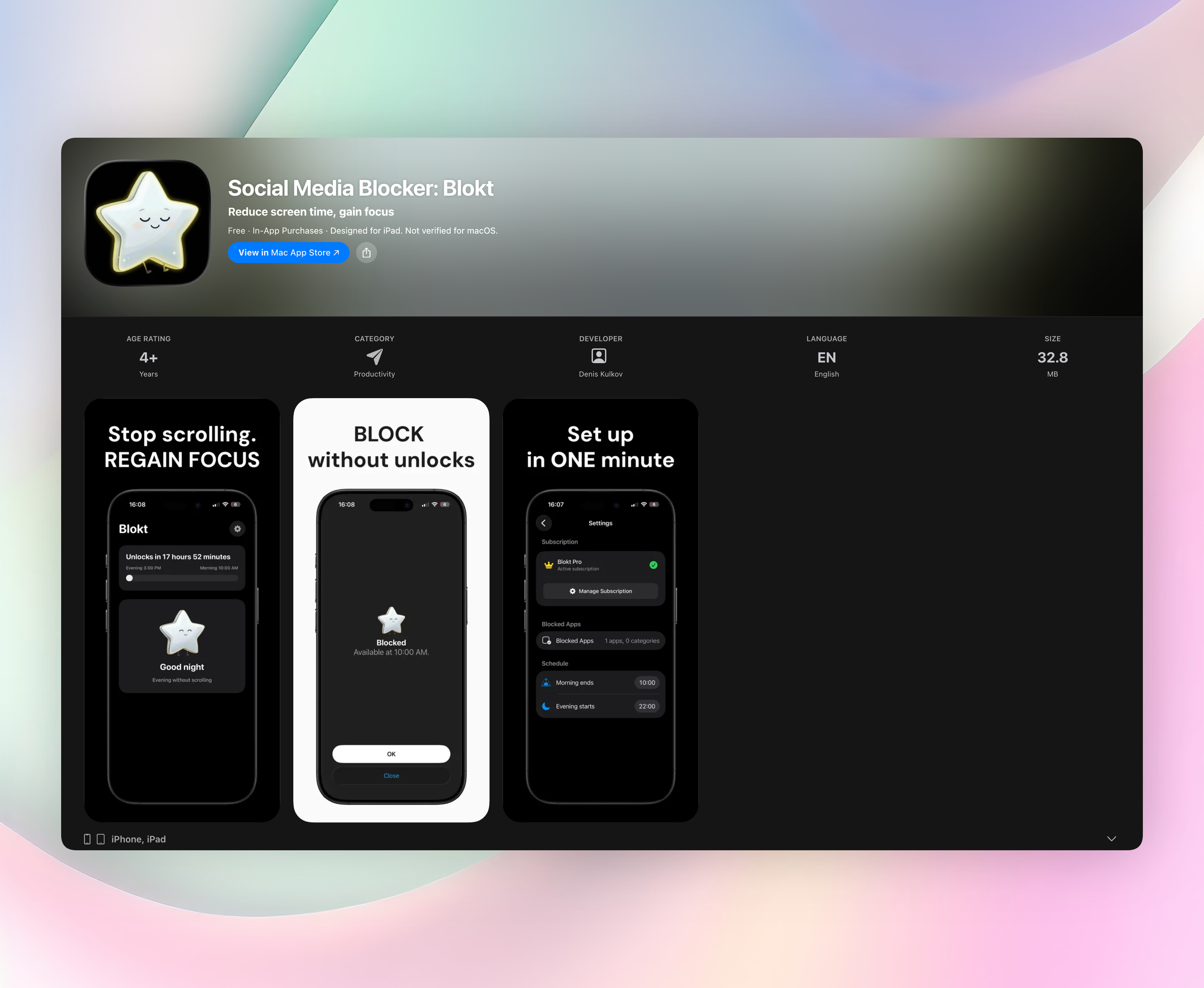
Blokt blocks social media apps during set morning and evening windows. These are the times when your impulse to scroll is strongest and your resolve is weakest. You pick your morning end time and evening start time, choose which apps to fence off, and that’s it. There’s no account, no data collection, no ads, and nothing to fiddle with. Everything runs on your device, so no one’s tracking your willpower.
- Blocks social apps only during your chosen windows. No permanent lockouts, just intentional friction when you need it most.
- Zero data leaves your phone. The privacy policy could be written on a sticky note.
- Minimal, calm design that stays out of your way after a two-minute setup.
It doesn’t treat you like an addict or a data point. That’s why it’s our top pick and the only app in this list we linked to directly. Get Social Media Blocker
2. Freedom
Best for: anyone who needs simultaneous blocking across phone, tablet, and laptop.
Freedom syncs block sessions across all your devices with one tap. Start a session on your phone, and your Mac and iPad lock down too. You won’t be able to switch gadgets to cheat. Recurring schedules let you make focus the default, so you don’t have to decide every day. The interface is straightforward, and cross-platform support is solid. It’s a good fit if your distraction hops between screens.
3. Forest
Best for: people who respond to gentle, visual accountability and gamification.
Forest plants a virtual tree when you start a focus session. Leave the app to check social media, and the tree withers. That small visual consequence is surprisingly effective. There’s also a real-world tree-planting tie-in, which adds a nice feel-good layer. The catch: it only works when you actively choose to stay off the phone, so it’s a commitment tool, not a barrier.
4. Opal
Best for: Apple users who want a focus score and intentional unlocks.
Opal uses Apple’s Screen Time API for deep iOS blocking. It gives you a focus score based on how well you stick to your sessions, which gives you something to care about. Before you bypass a block, you set an intention, a quick prompt that often kills the urge. It’s polished, Apple-only, and rewards consistency over willpower.
5. AppBlock
Best for: people who need location-based or time-based automatic blocking profiles.
AppBlock triggers strict blocks when you arrive at work, start a study session, or hit a specific calendar event. Quick-setup widgets and calendar-connected schedules keep restrictions tied to your real-life context. The same depth works on both iOS and Android, so it’s a solid option if you want your phone to enforce rules without you thinking about it.
6. StayFree
Best for: visual learners who want thorough analytics before setting limits.
StayFree gives you detailed usage charts, app comparisons, and time trends. Over-limit alerts nudge you when you cross your own caps, but it won’t block anything. It’s a solid diagnostic tool that shows you where your time actually goes before you commit to a stricter app. Think of it as a first step if you’re not sure what to block.
7. one sec
Best for: breaking the unconscious open-loop scroll habit.
One sec forces a deep-breath pause and a few seconds of waiting before the app actually opens. That tiny gap is often enough to make you realize you didn’t need to check Instagram. Setup is simple, and the low-friction approach respects your choice. It never blocks, just inserts a moment of reflection. It’s remarkably effective for mindless tapping.
8. ScreenZen
Best for: anyone who wants a pause-and-question approach without full blocking.
ScreenZen adds a short delay before the app opens and asks why you’re opening it. It limits how many times you can open the app per day instead of total time, which keeps things rational. The tone is friendly and non-judgmental, more coach than cop. If full blocking feels too aggressive, this is a gentle step toward mindful usage.
How we picked these apps
We tested over 20 screen time reduction apps for two weeks on our own devices during real workdays. We wanted apps that create actual friction to reshape habits, have clear privacy practices, work across platforms, and skip the hype. We liked apps that explain themselves quickly, work right away, and don’t nag. We cut anything with aggressive monetization or pushy notifications. We looked for tools that create intentional space, not just dashboards of guilt. Tools that help you spend less time on your phone, not just measure what you’re missing.
Frequently asked questions
What’s the best free screen time reduction app?
Many apps offer free tiers, including StayFree and ScreenZen. Blokt is completely free, with no ads or data collection. Its simplicity and privacy focus make it worth trying first. You get the core blocking without any upsells.
Do these apps work permanently or just short-term?
They work best as habit formation tools. The initial friction gives you a pause to build new defaults. Over time, many people find they don’t need the block as urgently. The key is a tool you can stick with, not a permanent lock.
Can I use more than one app at once?
Yes, but be careful. Combining apps that use the iOS Screen Time API (like Opal) with others can cause conflicts. To avoid fighting permissions, stick to one primary blocker and maybe a tracker like StayFree for insights.
How is Blokt different from just using Apple Screen Time?
Apple Screen Time does broad blocking, but it lacks the simple morning/evening window concept and ties everything to your Apple ID with cloud syncing. Blokt is fully local: no account, no data off the device. It focuses purely on intentional friction during high-temptation times.
The verdict
Social Media Blocker: Blokt is the cleanest, most trustworthy screen time reduction app we used. It’s private, needs no account, and sets morning and evening blocks without any nagging. It feels like a simple tool, not a service trying to sell you something. If you’re tired of elaborate dashboards and just want to stop scrolling when you wake up or wind down, start with the free version. Get Social Media Blocker
Related reviews
Best 8 Screen Time Apps in 2026: Reclaim Your Focus Fast
We compare 8 top screen time app choices for 2026, evaluating cross-platform sync, app blocking rules, family controls, and Wear OS support to help you cut distractions.
Best 9 Digital Wellness Apps in 2026: Reclaim Your Screen Time
We compare 9 digital wellness app options across platforms, break reminder styles, and cross-device support to help you reduce eye strain and boost focus.

Best 9 Time Blocking Apps in 2026: Reclaim Your Focus
Compare the 9 best time blocking apps of 2026. We evaluate platforms, calendar sync, focus modes, and cross-device support to help you structure your day.