
Best 9 Digital Minimalism Apps in 2026: Simplify Your Screen Time
By Apps We Recommend
Social Media Blocker gives you a timed fence between yourself and social feeds. No accounts, no ads. Below are nine tested tools that add healthy friction to phone use across iOS and Android.
Quick comparison
| App | Best for | Platform | Standout feature |
|---|---|---|---|
| Social Media Blocker | Morning/evening social blocking | iOS | No-account, on-device privacy |
| Forest | Focus sessions with playful guilt | iOS, Android | Tree withers if you leave app |
| minimalist phone | Reducing home screen temptation | Android | Plain text launcher, time nudges |
| Opal | Screen time coaching | iOS | Focus level measurement |
| Before Launcher | Decluttering Android home screens | Android | Batched notification filter |
| one sec | Adding friction to habitual opens | iOS | Forced breath before app launch |
| AppBlock | Temporary app/website blocking | Android | Strict mode prevents uninstall |
| Blank Spaces | Light-touch visual minimalism | iOS | Text-based widget and launcher |
| Freedom | Multi-device blocking | iOS, Android, Mac, Windows | Cross-device blocklist sync |
1. Social Media Blocker
Best for: Blocking social apps during morning and evening windows without accounts or ads.
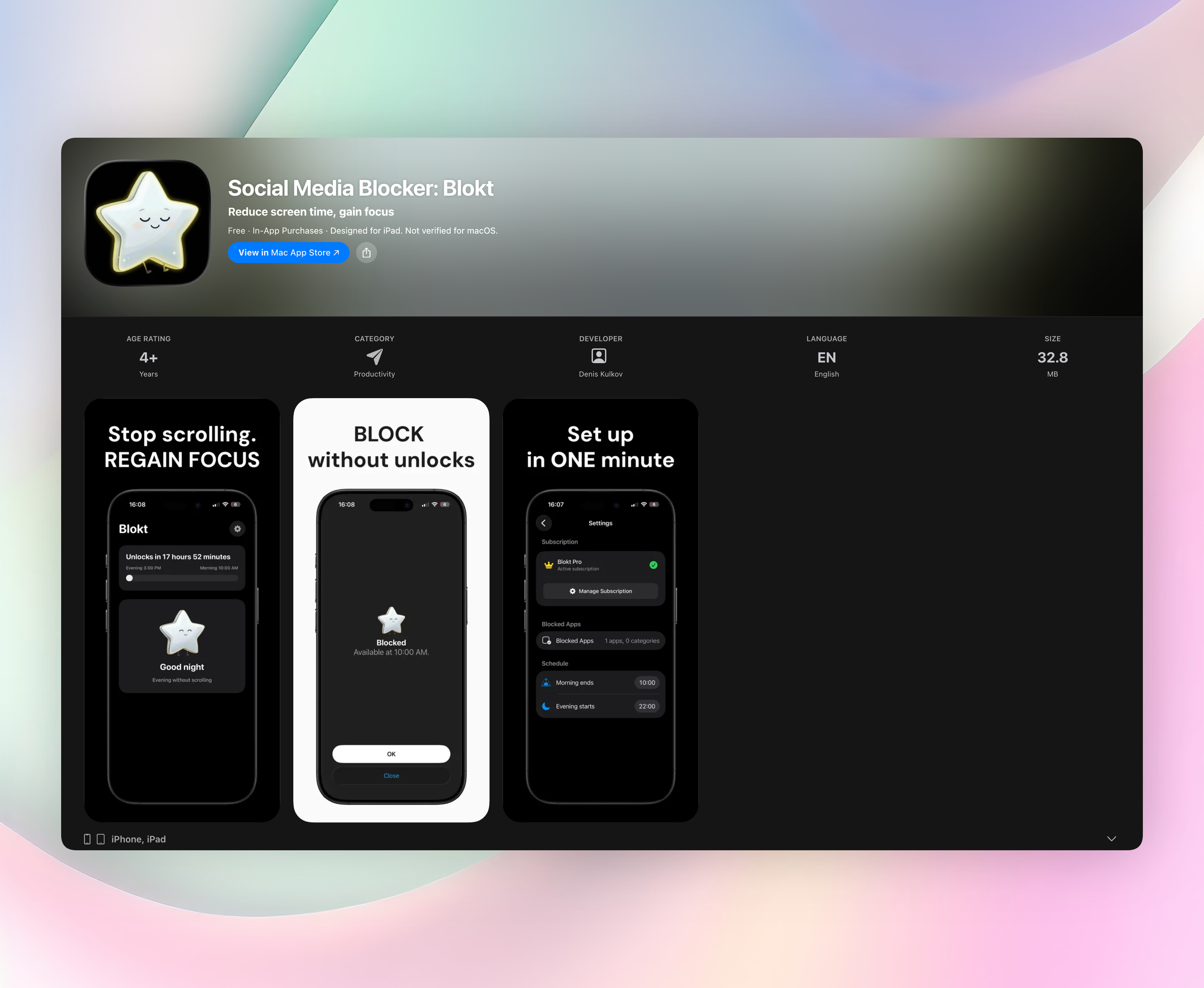
Blokt puts a timed barrier between you and the social apps you choose. You set a morning end time and an evening start time, pick the apps, and the blocker enforces a “not right now” rule. No permanent deletion, just a healthy pause. Everything stays on your device: no account signup, no data collection, no ads. Setup takes about two minutes; you schedule your windows and select apps directly in the interface.
- On-device scheduling with no external servers
- No account creation, ever
- Ad-free and tracking-free
Only on iOS.
2. Forest
Best for: People who respond to gentle guilt when they break focus.
Forest plants a virtual seed when you start a timer. The tree grows as long as you stay in the app, but if you switch away to check Instagram, the tree withers. The visual decay stings just enough to keep you off the phone. As you complete sessions, you earn coins that unlock new tree species or can be donated to plant real trees through a partner. Available on both iOS and Android, Forest turns digital minimalism into a low-stakes garden game.
3. minimalist phone
Best for: Android owners ready to strip away colorful icon bait.
This launcher turns your home screen into a plain text list of apps, removing every bright icon and notification badge. After you’ve spent a set amount of time in an app, a gentle reminder pops up asking if you really want to continue. You can hide distracting apps entirely and access them only through search, adding a deliberate friction step. It’s not a hard blocker; it’s a visual reset that makes mindless scrolling less automatic, burying temptation behind a few taps of text.
4. Opal
Best for: iOS users who want a quantified focus journey.
Opal uses Apple’s Screen Time API to block apps and measure a “focus level” based on how well you stick to your sessions. You see a running dashboard of interrupted attempts, making you face your own habits head-on. You can join teams with friends and compare scores, turning digital minimalism into a friendly competition. Pre-built schedules for deep work are included, and the polished interface feels rewarding. It’s iOS only, with a freemium model that unlocks advanced scheduling and longer blocks.
5. Before Launcher
Best for: Android users drowning in notifications and flashy home screens.
Before Launcher replaces your phone’s default look with a sparse, text-based layout and a smart notification filter. Instead of pinging you instantly, notifications are held and delivered in batches at intervals you choose: every 15, 30, or 60 minutes. The home screen lists only essential apps, and you can swipe to access a full app drawer. By stripping away visual noise and taming alert overload, it makes your phone feel less like a slot machine and more like a tool.
6. one sec
Best for: Habitual app openers who need a deliberate pause.
One sec intercepts app launches and makes you take a deep breath before the app actually opens. Using a Shortcuts-based intervention, you get a short breathing prompt, a waiting bar, or an intent check (“Why am I opening this?”). That two-second delay is often enough to break the automatic tap-to-open loop, and the breathing exercises sync with Apple Health for mindful minutes. You choose exactly which apps get the friction, keeping essentials unblocked. It’s iOS only and pairs well with a scheduled blocker.
7. AppBlock
Best for: Android users who want location or Wi-Fi-based blocking triggers.
AppBlock lets you create profiles that block selected apps and websites on a schedule. You can tie activation to your office Wi-Fi, a specific time, or even GPS coordinates, ideal for shutting down social media when you arrive at work. Its strict mode prevents you from uninstalling the blocker mid-session, closing a common loophole. AppBlock can also mute notifications from blocked apps during sessions, so the buzz won’t lure you back. The free version covers basic timed blocking; a premium tier adds advanced profiles and website filtering.
8. Blank Spaces
Best for: iPhone users who want a calmer home screen without blocking apps.
Blank Spaces gives you home screen widgets that list apps as plain text instead of colorful icons. You can replace entire pages with simple, searchable lists that strip out badge anxiety and visual noise. The widget can sort by usage, putting your most-launched apps at the top for quick, intentional access. It’s not a blocker; apps still open normally, but the cosmetic change reduces the impulse to tap something just because it’s shiny. This is the lightest-touch approach in the list, perfect if you want digital minimalism without locking yourself out.
9. Freedom
Best for: People who need the same block session across phone, laptop, and tablet.
Freedom syncs custom blocklists of apps and websites across iOS, Android, Mac, and Windows. You can schedule recurring focus sessions in advance, and once a session starts, it’s active on every device you own without toggling individually. The subscription unlocks multi-device syncing and advanced schedules, but the core concept of a single switch for all screens is powerful. It’s the heavy-duty option for someone who wants a unified digital minimalism app across their entire tech stack.
How we picked these apps
We tested each app for real friction, not just screen-time displays but genuine interruptions to mindless tapping. We checked for intrusive ads, mandatory accounts, and sneaky exception settings that defeat the purpose. We evaluated how each app managed notifications and allowed necessary exceptions (calls, maps) without undermining the block. Privacy was a strict filter: any app demanding an external account without a clear reason didn’t make the list. We stuck to tools squarely focused on digital minimalism, avoiding apps that try to be full productivity suites. The final list spans iOS and Android, includes free tiers, and reflects actual daily use rather than marketing hype.
Frequently asked questions
What is a digital minimalism app?
A digital minimalism app helps you reduce mindless phone use by adding friction or simplifying your screen, so you engage more intentionally.
Do these apps block only social media?
No, most let you block any app category—games, email, news—anything that triggers automatic scrolling. You choose exactly which time-sinks to restrict.
Will I miss notifications entirely?
Not permanently. Most pass notifications through or batch them at intervals; some mute them during blocks and deliver afterward. You won’t lose a message, just delay seeing it.
The verdict
Social Media Blocker earns the top spot because it solves the exact problem of doomscrolling after waking and before bed, without accounts, ads, or data collection. Set your morning and evening windows, and it quietly blocks chosen apps. On-device privacy means no one sees your habits. It’s the most direct tool for reducing late-night phone use we’ve tested. Get Social Media Blocker Start with this one; if you need daytime coverage, layer Forest or one sec for extra friction.