
Best 7 Break Timer Apps in 2026: Top Picks for Screen Breaks
By Apps We Recommend
Introduction
Eye Rest Reminder is our favorite break timer app for gentle 20-20-20 nudges, with no tracking and no clutter. This list covers seven tested apps for screen breaks, movement reminders, and posture resets on iOS and Android. If your neck is stiff and your eyes ache, one of these should make a real difference.
Quick comparison table
Not sure which app fits your workday? Here’s a fast look.
| App | Best for | Platform | Price |
|---|---|---|---|
| Eye Rest Reminder: Break ★ | Eye strain relief with 20-20-20 rule | iOS | Free |
| Stand Up! The Work Break Timer | Custom stand-up reminders | iOS | Free |
| TakeBreak: Break timer | Screen-time breaks on Android | Android | Free |
| Moova: Stand Up & Move More | Desk exercises & movement | Android | Freemium |
| sitLess | Simple posture nudges | Android | Free |
| Wakeout | Chair-friendly exercise bursts | iOS | Freemium |
| StretchMinder | Science-backed microbreaks | iOS | Freemium |
The 7 Best Break Timer Apps
1. Eye Rest Reminder: Break
Best for: anyone who just wants to follow the 20-20-20 rule without thinking about it.
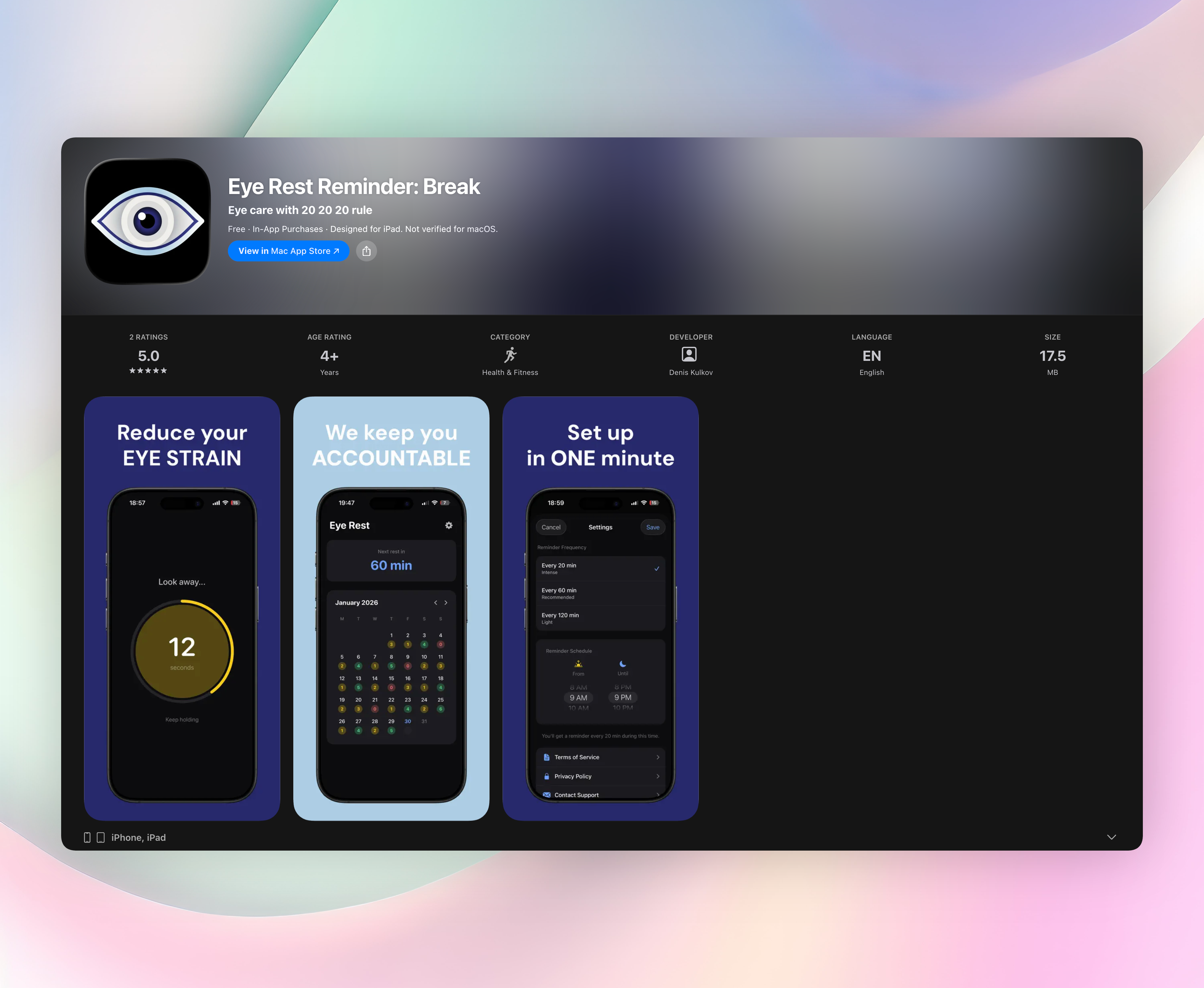
Eye Rest Reminder cuts straight to what matters. Every 20 minutes you get a quiet nudge: look at something 20 feet away for 20 seconds. That’s it. No dashboards, no account setup, no data shared. The app sits on your phone as a quiet helper, protecting your eyes from screen fatigue all day long.
While other break timer apps pile on features you’ll never use, Eye Rest Reminder stays refreshingly simple. One tap to pick your reminder interval (20, 60, or 120 minutes), set your active hours, and you’re done. The rest screen counts down your 20-second break and then fades away. A small calendar lets you see your streak, but there’s zero pressure and zero nagging.
- Triggers the proven 20-20-20 rule with gentle, non-intrusive alerts
- Zero accounts, zero data collection: everything stays on your iPhone
- Quick setup: one tap and you’re protected for the day
- A subtle 20-second timer screen that helps you actually rest your eyes
- Optional streak calendar for a lightweight sense of consistency
It’s iOS only, and for this audience that’s a strength. There are no cross-platform compromises, just a focused tool that does one job well. If you’re done with eye strain and stiff shoulders, this is the most direct fix you can download. Get Eye Rest Reminder
2. Stand Up! The Work Break Timer
Best for: tailoring stand-up nudges to your exact work rhythm.
You pick an interval from five minutes to two hours, and the app sends an interactive notification. Tap it to start a quick standing session, or snooze without unlocking your phone. The location-based smarts set it apart: the app auto-pauses reminders when you leave your office, so you’re not pestered at the grocery store. If you split time between home and a workplace, that alone makes it a smarter companion than most break timer apps.
3. TakeBreak: Break timer
Best for: Android users who want simple, scheduled eye breaks.
TakeBreak keeps screen-time management painless. Set how long you want your break to be, how often it shows up, and let the app do the rest. The reminders are soft and easy to dismiss, with no guilt trips. It won’t wow you with extras, but that’s the point. For a straight-ahead break timer app that watches your eyes without watching you, it’s a solid, no-login pick.
4. Moova: Stand Up & Move More
Best for: desk workers who want a mini-movement coach.
Moova pushes past a simple chime. Its hourly reminders come paired with over 200 quick exercises that target real trouble spots like rounded shoulders, tight hips, and a stiff lower back. You don’t need workout gear or even floor space; the guided stretches work in work clothes. It’s the kind of break timer app that actually undoes the damage of that 3‑hour Zoom block.
5. sitLess
Best for: a no-fuss Android tool that quietly resets posture.
sitLess is about as lightweight as it gets. It fires automated timed prompts: stand up, stretch, reset. There’s no dashboard to check, no analytics to scroll through. The whole idea is to cut sedentary time in the background so your neck and back feel better by the end of the day. If you want a break timer app that doesn’t demand attention, this one disappears nicely.
6. Wakeout
Best for: chair-friendly exercise bursts that don’t require leaving your desk.
Wakeout’s library is huge, with thousands of short movements designed to break the sitting pattern without ever standing up if you can’t. You’ll find targeted routines for neck relief, back pain, and energy recharges that take under a minute. The playful design keeps things light, and the exercises feel more like a quick game than a chore. It’s a good pick when your body craves variety, not just another nudge.
7. StretchMinder
Best for: science-backed microbreaks that respect deep work.
StretchMinder slots bite-sized guided routines right into your day. The timer flexes to your rhythm rather than interrupting flow: short breathing breaks, targeted pain-relief moves, focus refreshers. All the exercises are backed by research, and the interface feels calm, not pushy. If your ideal break timer app keeps you moving without pulling you out of concentration, this one earns its place.
How we picked these apps
We installed each app and ran them through actual workdays: mornings full of email, afternoons of deep focus, the lot. We looked for reminders that were persistent enough to build a habit but never annoying. Ease of use was non-negotiable; if an app asked for an account before showing its first nudge, it was out. We also ditched anything that shoved ads or collected data unnecessarily. Eye health, movement, and posture variety drove the final selection, so you get a real mix.
Frequently asked questions
What is the 20-20-20 rule and why does it matter?
It’s a simple eye-care habit: every 20 minutes, look at something 20 feet away for 20 seconds. That short break reduces eye strain, blurry vision, and headaches from prolonged screen use. Eye Rest Reminder is built entirely around this rhythm, with no setup and just the reminder.
Can a break timer app really improve posture?
Yes, if it makes standing and stretching a regular thing. Apps like sitLess and Moova turn small, frequent nudges into habit change. Over a workweek, those micro-movements add up and help reverse the slump.
Do these apps drain battery?
Not meaningfully. All seven are designed to run lightly in the background. Eye Rest Reminder and similar apps use minimal resources because they’re not constantly pinging servers; most work offline.
Which app is best for eye strain specifically?
Eye Rest Reminder is the strongest pick. It focuses solely on the 20-20-20 rule, avoids feature bloat, and never tracks what you do. That direct approach makes it easier to stick with than a general break timer app.
Are there Android alternatives to the iOS picks?
Absolutely. TakeBreak handles screen-break scheduling well on Android, and sitLess offers lightweight posture nudges without frills. Moova also works on Android for guided movement breaks.
The verdict
Eye Rest Reminder is the break timer app we’d recommend to just about anyone. It asks for nothing, collects zero data, and faithfully nudges you with the 20-20-20 rule day in and day out. There’s no bloat, no sign-up wall; just a clean tool that helps your eyes feel less wrecked by evening. Get Eye Rest Reminder
Related reviews
Best 7 Break Reminder Apps in 2026: Protect Your Eyes Now
We compare 7 break reminder apps for Windows, macOS, and browser. Find the best tool for customizable intervals, strict enforcement, and eye health tracking.
Best 8 Eye Break Timers in 2026: Protect Your Vision
We compare 8 eye break timer apps across platforms, smartwatch support, and reminder styles. Find the best tool to reduce eye strain without intrusive alerts.
Best 8 20-20-20 Timers in 2026: Protect Your Eyes Now
We compare 8 20-20-20 timer apps across platforms, Apple Watch support, and customization depth to find the best eye strain prevention tool for your workflow.