
Best 9 Study Blockers in 2026: Reclaim Your Focus Today
By Apps We Recommend
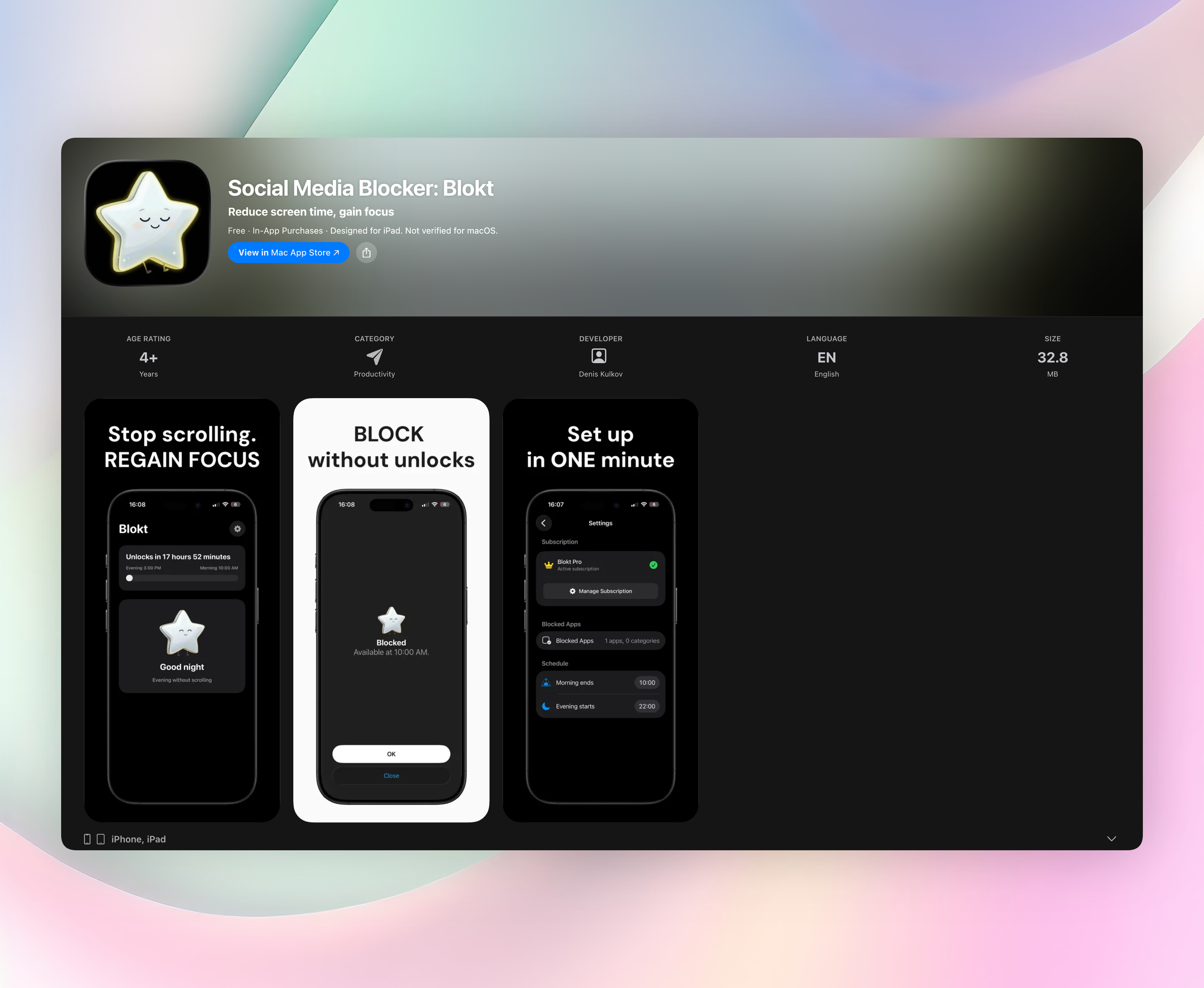
Social Media Blocker: Blokt is a study blocker that helps you build a no‑scroll habit during morning and evening focus windows. This list covers nine mobile apps that block distractions in different ways, from strict lockouts to mindful pauses, so you can pick the approach that matches your study style and phone habits.
Quick comparison
| App | Best For | Platform | Price |
|---|---|---|---|
| Social Media Blocker: Blokt | Morning & evening time‑window blocking | iOS | Free |
| Forest | Gamified focus tracking | iOS | Paid |
| AppBlock | Flexible scheduling with location triggers | Android | Freemium |
| Opal | Focus scores and friendly progress nudges | iOS | Freemium |
| BlockSite | All‑in‑one blocker with built‑in Pomodoro | Android | Freemium |
| Flipd | Strict, no‑escape lock mode | iOS | Freemium |
| StayFree | Understanding and capping digital habits | Android | Freemium |
| Freedom | Cross‑device synchronized blocking | iOS | Paid |
| ScreenZen | Mindful, low‑pressure interventions | Android | Free |
1. Social Media Blocker: Blokt
Best for: building a consistent no‑scroll habit during the morning and evening study windows you set.
Blokt is a privacy‑first study blocker that puts a simple “not right now” barrier between you and the social apps that steal your focus. You pick the apps you want blocked, set a morning end time and an evening start time, and the blocker quietly stays in the background. There are no usage stats, no dashboards, no nudges, just a hard stop when you open a blocked app during those windows.
- Setup takes about two minutes and works immediately.
- Blocking runs entirely on your device with no account, no data collection, and no ads.
- Unlike screen‑time trackers, Blokt doesn’t monitor how much you scroll. It stops the scroll before it starts.
- The interface is clean and straightforward, so there’s nothing to fiddle with once your windows are set.
Blokt runs only on iOS. Get Social Media Blocker
2. Forest: Focus for Productivity
Best for: visually motivated students who like gamified focus tracking.
Forest turns your study session into a virtual tree‑planting exercise. You set a timer, and a tree grows on screen. If you leave the app to scroll social media, the tree withers. The idea is simple but effective for people who respond well to gentle consequences. A real‑world tree‑planting partnership with Trees for the Future adds a feel‑good layer, though the core appeal is the visual representation of time well spent. It’s exclusive to iOS and turns a dull timer into something you’ll actually want to protect.
3. AppBlock - Block Apps & Sites
Best for: Android users who want flexible scheduling tied to time, day, or location.
AppBlock lets you temporarily block apps and sites, then automate those blocks around your study schedule. You can set triggers based on specific times, days of the week, or your GPS location, like blocking Instagram the moment you walk into the library. Location‑based activation is rare among study blocker tools, making it a practical choice for students who study in fixed spots. A strict mode can prevent you from unblocking during active sessions when willpower wavers.
4. Opal: Screen Time for Focus
Best for: iOS users who want focus scores and friendly progress nudges.
Opal connects to Apple’s Screen Time API to block distracting apps reliably, then wraps the experience in a cheerful interface with a mascot. It tracks your focus sessions and turns them into a daily score, so you can see streaks and improvements without digging through raw data. The tone is encouraging rather than restrictive, which softens the “punishment” feeling some blockers create. Detailed reports show where your attention went, and you can adjust blocked apps as your study demands change.
5. BlockSite: Block Apps & Sites
Best for: Android users who want an all‑in‑one blocker with a built‑in Pomodoro timer.
BlockSite combines app and website blocklists with a work‑mode countdown that follows the Pomodoro technique. You build a list of distractions, set your focus intervals and breaks, and let the timer run while blocked content stays out of reach. It’s straightforward to schedule recurring study blocks without digging into phone settings, and the dual blocking of apps and URLs covers most distractions a student encounters. If you already use Pomodoro methods, this bundles your timer and barrier into one tool.
6. Flipd: Focus & Study Timer
Best for: iOS users who need a strict, no‑escape lock mode during deep study.
Flipd doesn’t just block distractions; it hides all downloaded apps for a set period, leaving only essential tools accessible. The lock mode is serious: once activated, you can’t back out without ending the session, which makes it ideal for exam cramming or intensive reading. A study timer and progress tracker run alongside the lock, so you can log hours and see how consistently you show up. It’s a discipline‑first study blocker for moments when self‑control alone won’t cut it.
7. StayFree - Screen Time Tracker
Best for: Android users who want to understand and cap their digital habits rather than cold‑block.
StayFree leans heavily into usage analysis. It tracks how much time you spend in each app, sets usage limits, and sends overload alerts when you’re close to blowing past a cap. The detailed history helps you spot which apps eat into study time, so you can make informed decisions about what to limit. Think of it as a digital habit coach rather than a strict blocker. It gives you the data to set your own boundaries before you manually block or cut back.
8. Freedom - Block Distractions
Best for: iOS users who need cross‑device blocking during synchronized study sprints.
Freedom runs one block session across your iPhone, iPad, and computer at the same time, so there’s no chance of reaching for another screen. You create custom blocklists of apps and websites, schedule sessions in advance, and start a distraction‑free block on all synced devices with one tap. It suits planned, zero‑distraction study blocks where you need the same barrier everywhere at once. The simultaneous blocking is the core sell, though it requires a subscription.
9. ScreenZen - Screen Time Control
Best for: Android users who prefer a mindful, gentle intervention over rigid locks.
ScreenZen takes a softer approach: before you open a distracting app, it makes you pause for a few seconds and asks if you really want to proceed. You can also set daily open limits for specific apps, which interrupts mindless loops without feeling punitive. The low‑pressure design reduces the friction that leads many people to abandon strict blockers, making it easier to stick with the habit. It’s a study blocker that relies on small moments of awareness rather than hard barriers.
How we picked these apps
We looked specifically for mobile apps that block or limit access to distracting social platforms during study time. Reliability came first. A study blocker is useless if it can be bypassed with a tap. We then tested for ease of setup, flexibility in scheduling, and whether the app added unnecessary frills that got in the way. A mix of iOS and Android options was important, as was variety in approaches: strict lockouts, timers, usage caps, and mindful pauses all have their place. We preferred apps that respect privacy and don’t demand an account. Only Blokt earned the top spot for its simple, ad‑free time‑window approach that just works in the background.
Frequently asked questions
Do study blocker apps affect phone calls or texts?
Most blockers leave calls and essential communication untouched, targeting only the apps and sites you select. You won’t miss emergency messages from family or study partners.
Can I still access blocked apps in an emergency?
Many apps offer a strict mode or require a cooldown to override, but you can usually unblock if absolutely necessary. Check the app’s settings if you need an escape hatch during a session.
Will a study blocker drain my battery?
The apps we tested run lightly in the background and have minimal impact on battery life. You can leave them active without worrying about midday charging.
The verdict
Social Media Blocker: Blokt is the straightforward study blocker for students who want a do‑not‑disturb window without dashboards or monitoring. Its privacy‑first, account‑free, ad‑free design stands out from feature‑heavy alternatives, and it’s especially good for morning and evening study routines on iOS. Get Social Media Blocker and pair it with a simple focus timer for a complete, no‑fuss study setup.
Related reviews
Best 9 Self Control Apps in 2026: Block Distractions Fast
We compare 9 self control app options for iOS, Android, and desktop. See which tools offer the strictest blocking, scheduling, and stats.

Best 8 Break the Ice Apps in 2026: Spark Conversations Instantly
We compare 8 break the ice app options for 2026, evaluating conversation prompts, group vs. one-on-one modes, platform availability, and question variety.

Best 9 Ice Breaker Apps in 2026: Spark Conversations Instantly
We tested 9 ice breaker apps to compare conversation starters, platform support, watch compatibility, and scoring rules. Find the right ice breaker app for any social setting.