
Best 8 Social Media Time Management Tools in 2026: Block Distractions for Good
By Apps We Recommend
For no-excuses morning and evening blocks, Social Media Blocker is the best social media time management app we’ve tested. This list covers seven other tools that reduce mindless scrolling, each chosen for a specific situation. If you’re tired of leaning on willpower alone, these apps put real friction between you and the endless feed. Here are honest, skimmable reviews.
Quick comparison table
| App | Platform | Best for | Standout feature | Price model |
|---|---|---|---|---|
| Social Media Blocker: Blokt | iOS | Hard curfew blocks | Unbypassable time‑based blocking | Unknown |
| Freedom | iOS & Android | Cross‑device focus sessions | Recurring all‑device schedules | Paid |
| Opal | iOS & Android | Hard‑to‑bypass guardrail | Deep Focus mode | Freemium |
| Forest | iOS & Android | Visual motivation | Tree‑planting gamification | Paid |
| one sec | iOS & Android | Mindful pause before opening | Breathing‑exercise interrupt | Freemium |
| AppBlock | iOS & Android | Strict schedule‑based blocking | Strict Mode (no uninstall) | Freemium |
| ScreenZen | iOS & Android | Gentle nudges | Question‑based interruptions | Free |
| StayFree | iOS & Android | Data‑driven self‑awareness | Detailed usage charts | Freemium |
1. Social Media Blocker: Blokt
Best for: Setting hard morning and evening social media curfews you can’t wiggle out of.
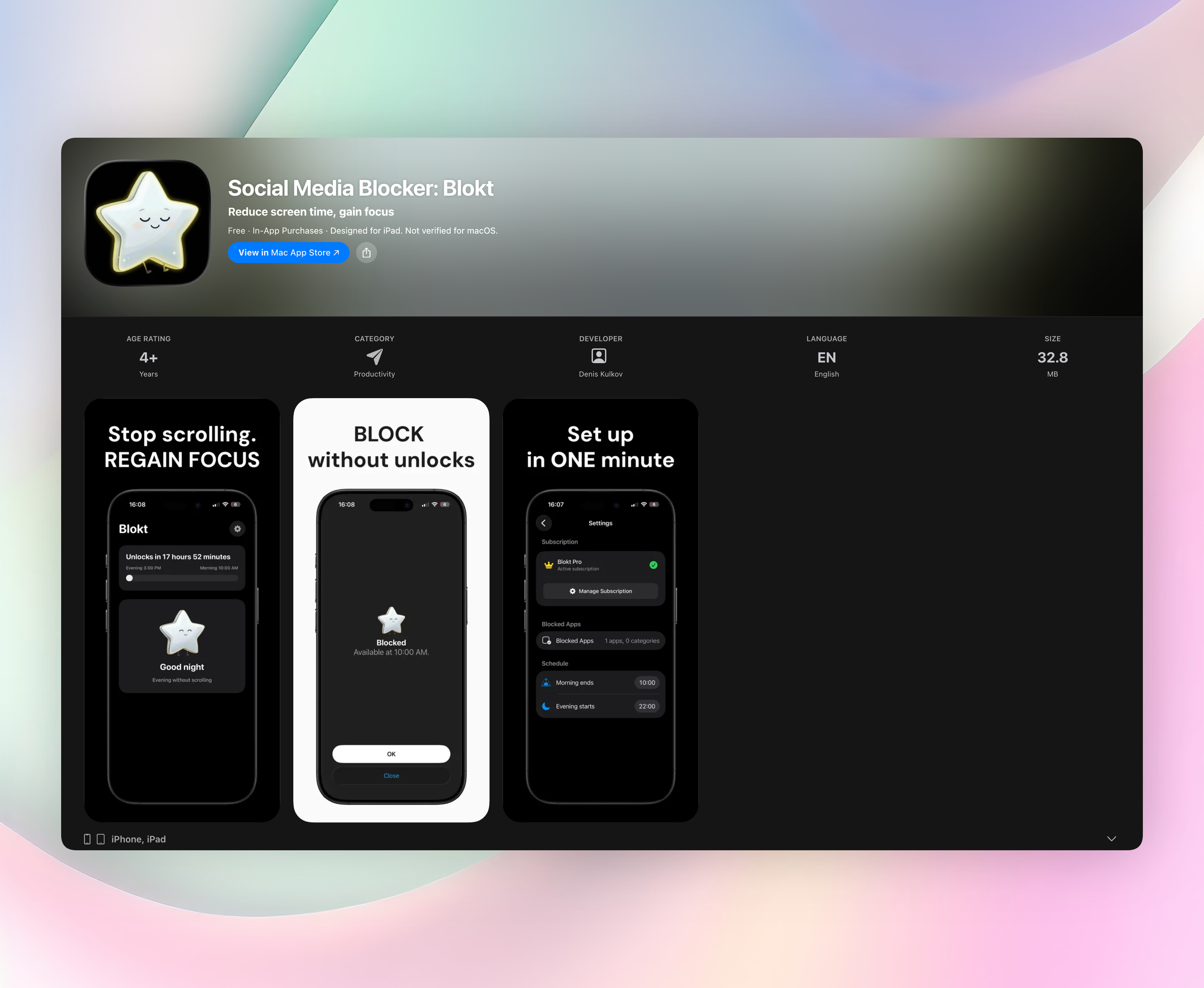
Blokt works as a “not right now” barrier. You pick the social apps you want locked, set morning and evening windows, and the app keeps them completely off‑limits. No pleading, no “just five minutes.” It simply won’t open them. Setup takes about two minutes. Everything runs locally: no accounts, no ads, nobody else seeing your habits.
- Unbypassable time‑based blocking that enforces true digital downtime
- Zero‑account, no‑ads, fully private design
- Choose exactly which apps and categories get blocked
- Separate morning and evening windows that match your actual routine
This is the only store link in the article.
2. Freedom
Best for: Cross‑device focus sessions that follow you everywhere.
Freedom syncs blocking across your phone, tablet, and computer, so you can’t just grab another screen when the urge hits. It blocks both social apps and websites, which makes it a strong pick if you work (and procrastinate) on multiple devices. Recurring schedules let you lock all your distractions in one go, taking the daily decision off your plate.
3. Opal
Best for: People who need a guardrail that’s genuinely tough to break.
Opal’s Deep Focus mode is intentionally hard to disable, adding real friction when you try to quit the block early. It also tracks screen time and gives you a focus score, so you see the cost of every sidestep. If you know you’ll negotiate with yourself mid‑session, these unforgiving session locks stop that cold.
4. Forest
Best for: Visual motivation that turns focus into a tiny game.
Forest plants a virtual tree when you start a timer. Leave the app to check social media, and the tree dies. The mechanic is soft but surprisingly effective. Nobody wants to kill a tree over a few seconds of scrolling. A real‑tree‑planting bonus exists, but the immediate “don’t break the streak” nudge carries the real weight.
5. one sec
Best for: Injecting a mindful pause before the doomscroll reflex fires.
Instead of blocking outright, one sec forces a breathing exercise or a short delay whenever you tap a social app. The intervention breaks the automatic tap‑to‑open loop and turns an impulse into a conscious choice. It works with phone automation to add just enough friction without ever fully locking you out.
6. AppBlock
Best for: Strict, schedule‑based blocking that leaves no loopholes.
AppBlock lets you set custom schedules and target specific apps, keywords, or websites. Its Strict Mode prevents you from uninstalling the app or changing settings while a block is active, so the restrictions actually stick. If you need a no‑nonsense enforcement layer that keeps you honest, AppBlock delivers.
7. ScreenZen
Best for: Gentle nudges that rewire your scrolling reflex over time.
ScreenZen interrupts mindless opens with simple prompts like “Why are you opening this?” and customizable delays before the app loads. Daily usage limits sit underneath, but the real power is the judgment‑free pause. It’s designed to build healthier habits gradually instead of just slamming the door shut.
8. StayFree
Best for: Data‑driven awareness of exactly where your time goes.
StayFree shows detailed usage charts and weekly reports that make your social media habits impossible to ignore. It doubles as an app blocker with scheduled limits and focused time windows. If you need to see the raw numbers before you believe the problem, StayFree’s clear graphs give you the honest reality check.
How we picked these apps
We started with a simple rule: an app only makes the list if it actually reduces mindless scrolling, not just dresses it up. Every tool here was hands‑on tested on iOS and/or Android, with attention to real blocking strength, privacy model, platform support, and how quickly you could get it running. We refused to include anything that disguised engagement as productivity or required you to hand over a social‑media account to use it. Apps that nagged endlessly or collapsed the moment you tried to bypass them didn’t survive testing.
Social Media Blocker earned the top spot because it imposes a plain, no‑account‑needed curfew, exactly what someone searching “social media time management” usually needs first. It doesn’t try to be a dashboard or a habit coach. It just locks the apps you tell it to, when you tell it to, and stays out of your way.
Frequently asked questions
Does using a social media blocker really reduce screen time?
Yes. Blockers remove the in‑the‑moment choice, and forced friction has been shown to cut mindless checking significantly. Even a 10‑second delay often slashes daily pickup counts.
Are these apps safe to use with my personal data?
Most operate locally or with minimal data collection. Social Media Blocker’s no‑account, no‑ad model sets a high bar, but always check each app’s privacy label for specifics.
What’s the difference between a blocker and a screen time tracker?
A tracker shows you the numbers after the fact. A blocker actively prevents access during set times. It’s a direct intervention, not a report card.
How do I choose the right app for my habits?
Start with Social Media Blocker if a curfew on one phone covers your need. If you bounce between devices, look at Freedom or Opal. If you want raw stats first, try StayFree. Pick the tool that addresses your weakest moment.
Can I still use social media for work while blocking distractions?
Yes. Most apps let you set specific windows. You can block personal scrolling while keeping work‑hours access open. Just confirm your chosen tool supports flexible scheduling.
The verdict
Social Media Blocker is the best overall pick for a private, no‑fuss social media curfew. Its simple morning and evening blocks remove decision fatigue and the endless cycle of willpower negotiations. If you’re done trying to think your way out of late‑night scrolling, this is the straightforward, no‑fuss answer.
Related reviews
Best 9 Social Media App Blockers in 2026: Reclaim Your Focus
Compare the top 9 social media app blocker tools for 2026. We evaluate platform availability, scheduling depth, and strict mode enforcement to help you focus.
Best 9 Social Media Lock Apps in 2026: Reclaim Your Focus Fast
Compare the 9 best social media lock app choices for 2026. We test cross-platform blocking, schedule rigidity, and bypass prevention to find your perfect fit.
Best 8 Social Media Limit Apps in 2026: Reclaim Your Focus
Compare the top 8 social media limit apps for Android and iOS. We evaluate blocking strictness, scheduling, cross-platform sync, and focus modes to find your fit.