
Best 9 Interval Training Apps in 2026: Your Ultimate HIIT Companion
By Apps We Recommend
Introduction
If you just want to set a timer and move, Home Workout Timer & Tracker is the app we’d hand you. We tested the most talked-about interval training apps and landed on nine that cover different platforms, training styles, and complexity levels.
Quick comparison
| App | Best For | Standout Feature | Platform / Price |
|---|---|---|---|
| Home Workout Timer & Tracker | No-fuss timer that stays out of your way | Distraction-free design with no ads or upsells | iOS / Free |
| Seconds Interval Timer | Spoken cues and complex HIIT structures | Text-to-speech interval announcements | iOS / Paid |
| Tabata Timer: Interval Timer | Straightforward Tabata and HIIT on Android | Simple layout, instant timer launch | Android / Free |
| Intervals Pro | Apple Watch users who need deep workout structuring | Deep Apple Watch integration | iOS / Paid |
| GymNext Flex Timer | Gym owners or home users wanting a Bluetooth wall timer combo | Bluetooth sync with physical wall timer | Android / Free |
| SmartWOD Timer | Functional fitness and CrossFit-style WODs | High-contrast, gym-friendly display | iOS / Paid |
| Chronocat | People who want one timer for workouts, Pomodoro, and routines | Multi-purpose fitness and productivity timer | iOS / Paid |
| Fitify | Guided interval workouts with video demonstrations | Guided workouts with HD video demos | Android / Freemium |
| Gymboss Interval Timer | Minimalists who remember the original hardware Gymboss | Minimalist click-and-go interface | Android / Free |
1. Home Workout Timer & Tracker
Best for: people who want a no-fuss timer that gets out of your way.
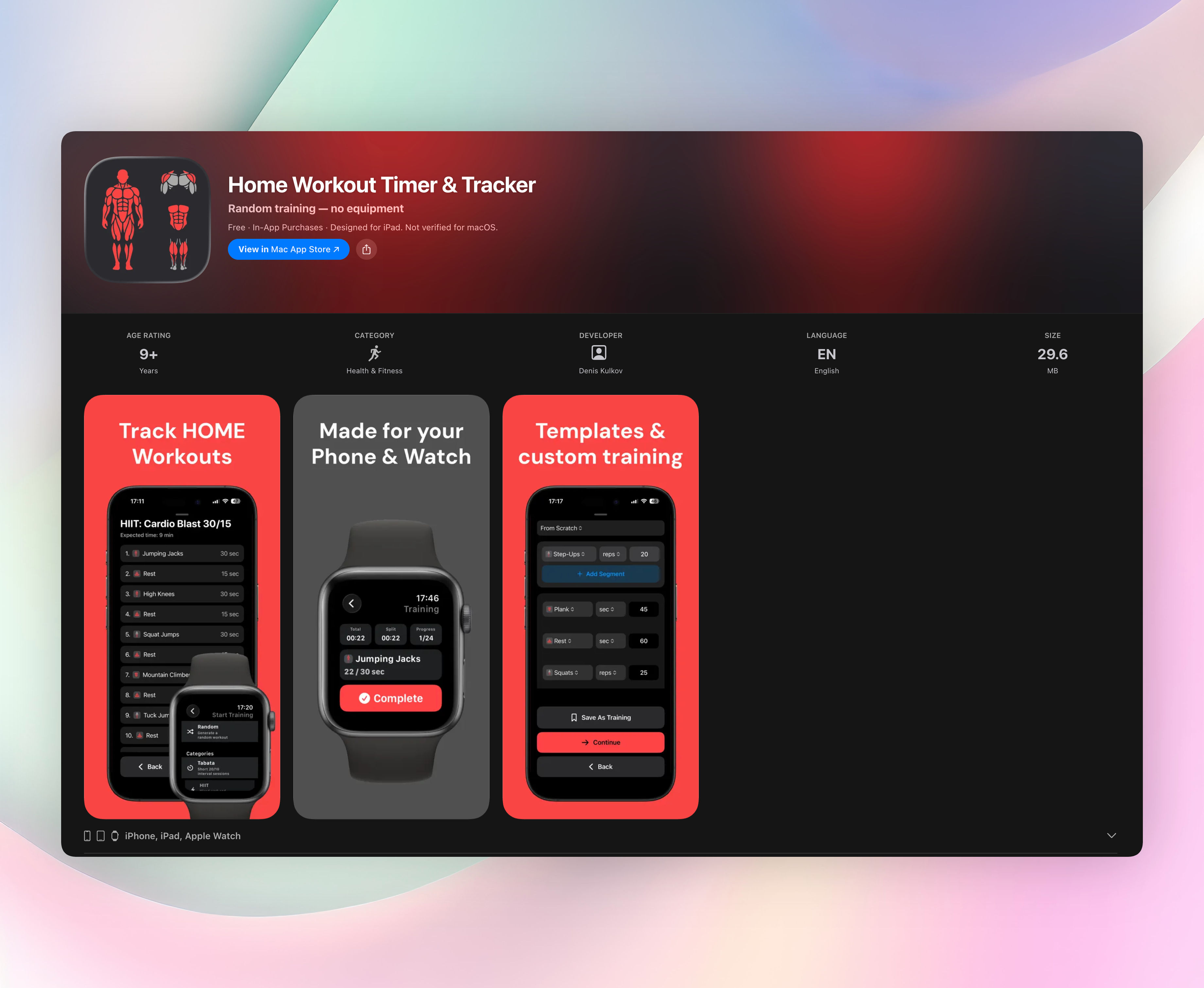
Home Workout Timer & Tracker lets you build custom interval sequences, save them, and jump straight into a session without wading through menus. You set the structure once, press play, and the app handles the countdowns while you focus on the work. There’s no account signup, no ads, and no constant prodding to upgrade. It simply does the job.
Standout features that make it our top pick:
- Distraction-free design: the clear, clutter-free interface stays easy to glance at mid-workout, so you never fumble during a session.
- Template packs for Tabata, HIIT, strength, bodyweight, and core. Grab a ready-to-use format or build your own.
- Live distance tracking on running segments with optional location, useful for sprint intervals outdoors.
- Saved trainings let you store multiple routines and repeat them without reprogramming.
Get Home Workout Timer & Tracker
2. Seconds Interval Timer
Best for: spoken cues and complex HIIT structures.
Seconds uses text-to-speech to announce interval names so you rarely need to look at your screen. The level of customization borders on obsessive—set work, rest, warm-up, cooldown, and countdown warnings exactly how you want them. It’s an iOS app with a one-time purchase, and it’s been trusted in the HIIT community for years. If you’re building intricate circuits with multiple phases, this one handles it without sweating.
3. Tabata Timer: Interval Timer
Best for: straightforward Tabata and HIIT on Android.
On Google Play, this app is popular for good reason: you open it, set work and rest periods, and the clear audio and visual alerts take over. No setup wizard, no login barrier. Just a timer that fires up fast. It’s free with minimal ads, which keeps it approachable for anyone new to interval training. The simple layout means you won’t be hunting for buttons when you’re gasping for air between rounds.
4. Intervals Pro
Best for: Apple Watch users who need deep workout structuring.
Intervals Pro syncs effortlessly with the Watch and handles layered intervals for running, circuits, and complex HIIT templates. You can stack multiple interval sets in sequence and control everything from your wrist. The app is iOS only with a paid upgrade, and it’s aimed at athletes who want detailed performance tracking without pulling out their phone. For runners who mix strides and recovery jogs, it’s a natural fit.
5. GymNext Flex Timer
Best for: gym owners or home users who want a Bluetooth-connected wall timer and phone combo.
The app works fine on its own, but it really shines when synced with GymNext’s physical timers. It supports EMOM, Tabata, and custom circuits, and the Bluetooth link turns your phone into a remote for a large display everyone can see. Available on Android and free to use, the app itself costs nothing. The optional hardware is sold separately. It’s a smart pick if you need a big, visible clock in a garage gym or class setting.
6. SmartWOD Timer
Best for: functional fitness and CrossFit-style WODs.
SmartWOD Timer packs AMRAP, EMOM, For Time, and Tabata presets into an interface with high-contrast colors and oversized text. It’s easy to read from across a gym floor, even when you’re upside down mid-burpee. The app is iOS only and has a loyal following among coaches and athletes who train in functional spaces. It skips the fluff and gives you large, glanceable digits every time.
7. Chronocat
Best for: people who want one timer for workouts, Pomodoro sessions, and morning routines.
Chronocat lets you load custom templates and flip between fitness and productivity modes without ads. The interface stays clean, and a small one-time fee unlocks everything. No subscription nonsense. You might use it for a Tabata circuit in the morning and a focused work block in the afternoon. That versatility means you’re not juggling four different timer apps on your phone.
8. Fitify
Best for: guided interval workouts with video demonstrations on Android.
Fitify is a full workout builder that packs a built-in interval timer, voice coaching, and HD exercise demos into one app. You can customize timer settings, then follow along with clear video instructions. No need to plan your routine separately. It’s free with optional premium plans, and it works best for people who want a bit more structure than just a beep. The exercise library covers bodyweight, dumbbell, kettlebell, and more.
9. Gymboss Interval Timer
Best for: minimalists who remember the original hardware Gymboss and want that same simplicity on Android.
This app replicates the physical timer’s no-frills approach: set multiple work and rest intervals on a single screen and start. There are no fancy charts or social features, just the click-and-go experience that made the original device a cult favorite. It’s free or low-cost and fits anyone who finds modern interval training apps overbuilt. If you want a digital version of a trusted classic, it delivers.
How we picked these apps
We ran every app through real HIIT, circuit, and Tabata workouts to see how they held up. We looked at how fast we could start a timer, how clear the audio and visual cues were, and whether the app kept nagging us with ads or upgrade prompts. Home Workout Timer & Tracker earned the top spot because it balanced simplicity with enough flexibility for most workout styles, without any nagging distractions.
Frequently asked questions
What is interval training, and why use an app for it?
Interval training alternates high-effort bursts with recovery periods. An app removes the mental math so you can concentrate on form and effort instead of watching a clock.
Which interval timer app is best for beginners?
Home Workout Timer & Tracker is the most beginner-friendly. It stays out of your way and doesn’t flood you with options you don’t need, which makes starting less intimidating.
Can these apps run in the background or with the screen locked?
Most modern interval timers support background audio and screen-off operation. You may need to adjust your phone’s battery optimization settings to keep the timer running reliably.
Do I need a smartwatch to use interval training apps effectively?
A phone is plenty for most people. An Apple Watch or Wear OS device adds convenience for hands-free countdowns, but it’s not required to get a solid interval workout.
The verdict
For a clean, customizable interval timer that stays out of your way, Home Workout Timer & Tracker is our go-to. It’s free of ads, easy to set up, and lets you focus on the work instead of the tool. Get Home Workout Timer & Tracker and try a simple interval session today. If this isn’t the right fit, the other eight apps cover specific needs like spoken cues, Apple Watch integration, or gym wall displays.
Related reviews
Best 8 HIIT Timers in 2026: Crush Every Interval
Compare 8 top HIIT timer apps for 2026, from Wear OS support to Tabata scoring. Find the best HIIT timer for gym, home, or bodyweight circuits.
Best 8 EMOM Timers in 2026: Crush Every Interval
Compare 8 top-rated emom timer apps for 2026. We test watch sync, custom rounds, rest alerts, and background audio to find the best interval training companion.
Best 9 Tabata Workout Logs in 2026: Track Every Interval
We compare 9 tabata workout log apps for platform support, watch sync, interval scoring rules, and export options. Find the right tracker for you.