
Best 9 Gym Timers in 2026: Your Ultimate Rest & Set Companion
By Apps We Recommend
Home Workout Timer & Tracker stands out as the best gym timer for most people. It’s simple, flexible, and stays out of your way. We’ve rounded up a mix of platforms and training styles — HIIT, Tabata, strength, CrossFit — so you can find the right one fast. Every app here was hands-on tested, so you’re getting the real story.
Quick comparison
| App | Best For | Platform | Standout Feature |
|---|---|---|---|
| Home Workout Timer & Tracker | Stress-free custom intervals | iOS | “Set it and forget it” simplicity |
| Seconds Pro | Complex HIIT & Tabata | iOS | Text-to-speech interval announcements |
| SmartWOD Timer | CrossFit & functional fitness | Android | Built-in WOD modes (AMRAP, EMOM) |
| Gymboss | Physical timer fans | iOS | Vibration and sound alert customization |
| Tabata Timer | Straightforward HIIT | Android | Seamless music player integration |
| Interval Timer – HIIT Workouts | Apple Watch users | iOS | Wrist-based control |
| Flex Timer | GymNext clock sync | Android | Heart rate monitor support |
| HeavySet | Lifters needing rest management | iOS | Automatic rest timer after logging a set |
| Exercise Timer | Complex exercise-by-exercise plans | Android | Voice prompts between movements |
1. Home Workout Timer & Tracker
Best for: anyone who wants a gym timer that stays quiet and lets you focus on training.
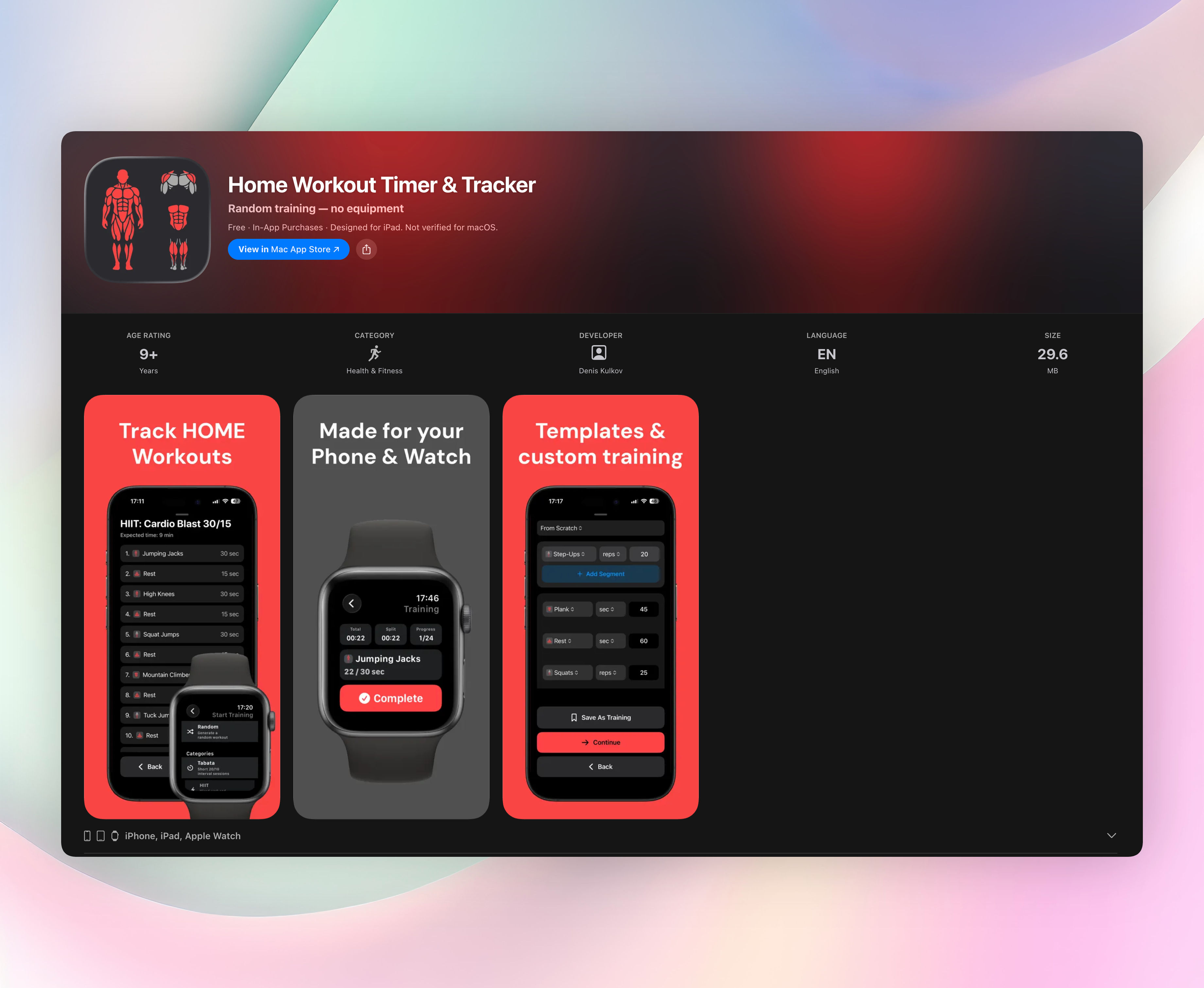
This is our top pick. No accounts, no learning curve. You build whatever interval structure you need, hit start, and the app runs in the background. It doesn’t yell or clutter your screen. The idea is simple: set it up once, then let it handle the timing while you move.
The display is clean and glanceable, easy to read even when your phone is upside down on the floor mid-workout. The free version covers most routines without shoving a paywall in your face.
Standout features:
- Custom sessions with exercises, meters, reps, or seconds — reorder and save as you like.
- Template packs for Tabata, HIIT, strength, bodyweight, and core.
- Optional live distance tracking for running segments.
- Silent background operation; nothing distracts you between intervals.
Get Home Workout Timer & Tracker
2. Seconds Pro Interval Timer
Best for: HIIT power users who want to plan every second in detail.
Seconds Pro is the heavy-duty option for complex interval work. Its large, color-coded screen shifts hues as each phase changes, so you always know where you are in a set. The text-to-speech function calls out upcoming intervals ahead of time, which is helpful when you’re in motion and can’t stare at a screen. You can chain multiple timers, build pyramids, and share custom templates. It’s iOS only, and the depth does mean a bit of a setup curve.
3. SmartWOD Timer
Best for: CrossFit and functional fitness athletes who want pre-built workout modes.
SmartWOD Timer cuts out the guesswork. It comes loaded with AMRAP, EMOM, For Time, and Tabata presets, all with a large-number interface you can read from across the room. Voice motivation cues keep you moving when you’d rather stop. On a busy gym floor, the clean black-and-yellow display works. It’s Android-based and designed specifically for the functional crowd, so if your training looks like a whiteboard workout, this fits.
4. Gymboss Interval Timer
Best for: runners and bodyweight circuit fans who miss the physical clip-on timer.
Gymboss takes the classic hardware timer and puts it on your phone. You can set layered interval cycles (work, rest, and rounds) with distinct vibration or sound alerts for each. It’s straightforward and prioritizes alert reliability. If you’re running hills or doing outdoor circuits, the ability to set it and mentally clip it onto a belt without touching the screen again is a big plus. iOS only for this digital version.
5. Tabata Timer: Interval Timer
Best for: a simple, no-fuss Android HIIT timer that plays nicely with your music.
You open it, set work and rest lengths, and go. Tabata Timer runs in the background while your music app stays front and center, which is surprisingly rare. One-tap adjustments let you tweak intervals on the fly without breaking rhythm. It won’t handle elaborate programming, but for straightforward high-intensity intervals, it does exactly what’s needed.
6. Interval Timer – HIIT Workouts
Best for: Apple Watch owners who want to leave their phone in the bag.
This app lives on your wrist. You set high and low intensity durations, and the Apple Watch takes it from there with haptic feedback and background audio support. The interface is minimal, which is the point: glanceable data without distraction. If you prefer to train phone-free but still need a structured timer, this is the pick.
7. Flex Timer
Best for: bridging a phone timer to a GymNext LED wall clock or group sessions.
Flex Timer is deeply customizable and supports syncing with GymNext hardware, making it a favorite for garage gyms and small boxes. It works standalone with tons of presets, heart rate monitoring, and audio cues for groups. If you run a space where multiple people follow the same clock, this is the Android solution that keeps everyone in sync.
8. HeavySet
Best for: lifters who want rest management built into their strength tracker.
HeavySet is a lifting log first, but its automatic rest timer makes it indispensable for serious strength work. After you log a set, it quietly starts a countdown. No need to remember to hit a separate clock. This consistency between heavy lifts is what turns a random session into progressive overload. iOS only, and the rest timer works exactly when you need it, silently.
9. Exercise Timer
Best for: guided workout routines where each movement has its own countdown.
Exercise Timer lets you build multi-exercise blocks with custom durations, and voice prompts announce the next movement by name. You’re not just hearing beeps; you’re hearing “push-ups, 30 seconds.” That makes it useful for complex bodyweight or rehab circuits on Android. The interface stays clean, and setup is faster than you’d expect for this level of detail.
How we picked these apps
We tested for timer precision, setup speed, and readability mid-workout. Apps that bury basic intervals behind paywalls didn’t make the cut. We prioritized tools that get you started fast and stay stable: no crashes, no forced accounts, no ads interrupting your sets. The list covers niche needs (CrossFit, lifting) and general-purpose timers, and we made sure there was at least one strong Android and one strong iOS pick in each sub-category.
Frequently asked questions
What’s the best free gym timer?
Home Workout Timer & Tracker offers a genuinely usable free tier with custom intervals and templates. No account required, no immediate paywall.
Can I use these while listening to music?
Yes. Most picks, including Home Workout Timer & Tracker, Seconds Pro, and the Android Tabata Timer, support background audio so your music plays uninterrupted.
Do any of these work with wearables?
Interval Timer – HIIT Workouts supports Apple Watch directly. Flex Timer includes heart rate monitoring when paired with compatible sensors.
What’s the difference between a gym timer and a stopwatch?
A stopwatch counts up; a gym timer automates intervals (work, rest, rounds) so you don’t have to watch the clock. It keeps you moving on schedule without manual resets.
The verdict
The right timer gets out of your way, so you can focus on your workout, not your phone. Home Workout Timer & Tracker wins for most people because it’s dead simple, requires no account, and the free version actually works. Get Home Workout Timer & Tracker and spend less time tapping and more time moving. If it doesn’t match your platform or training style, the other eight picks cover every niche from CrossFit to lifting to watch-based intervals.
Related reviews
Best 8 Home Gym Timers in 2026: Track Rest, Build Muscle
Compare the 8 best home gym timer apps for 2026. We test interval customization, Apple Watch sync, and rest period logic to find the perfect workout clock.
Best 9 Rest Timers in 2026: Track Recovery Smarter
We compare 9 rest timer apps for platform support, watch sync, scoring rules, and interval customization. Find the best rest timer for your training.
Best 9 Set Timers in 2026: Track Every Second
We compare 9 set timer apps for iOS and Android, testing watch support, interval rules, and background reliability to find the best option.