
Best 8 Bedtime Apps in 2026: Our Honest Reviews
By Apps We Recommend
If you lose hours to doomscrolling when you should be asleep, Bedtime Reminder is the straightforward bedtime app that stops the cycle. This roundup covers 8 apps that help you wind down, fall asleep, and wake up more gently—habit nudges, sleep trackers, soundscapes, and smart alarms, all tested in real life.
Quick comparison
The table below gives you a scannable side-by-side look at each app’s main job. Bedtime Reminder is the only one built to enforce a hard stop on phone use, while the rest focus on tracking, content, or smarter wake-ups.
| App | Platform | Standout feature | Price model |
|---|---|---|---|
| Bedtime Reminder | iOS | Hard-stop bedtime commitment | Free trial, one-time purchase |
| Sleep Cycle | iOS, Android | Smart alarm during light sleep | Subscription |
| BetterSleep | iOS, Android | Customizable soundscapes & stories | Subscription with free trial |
| Pillow | iOS | Apple Watch sleep stage analysis | Freemium |
| SleepTown | iOS, Android | Gamified bedtime consistency | One-time purchase |
| Slumber | iOS, Android | Insomnia-focused stories & layers | Subscription with free trial |
| ShutEye | iOS, Android | AI sleep analysis via microphone | Freemium |
| Sleep as Android | Android | Wake-up verification tasks | Free trial, one-time upgrade |
1. Bedtime Reminder
Best for: anyone who knows they just need to put the phone down at night, but can’t seem to do it.
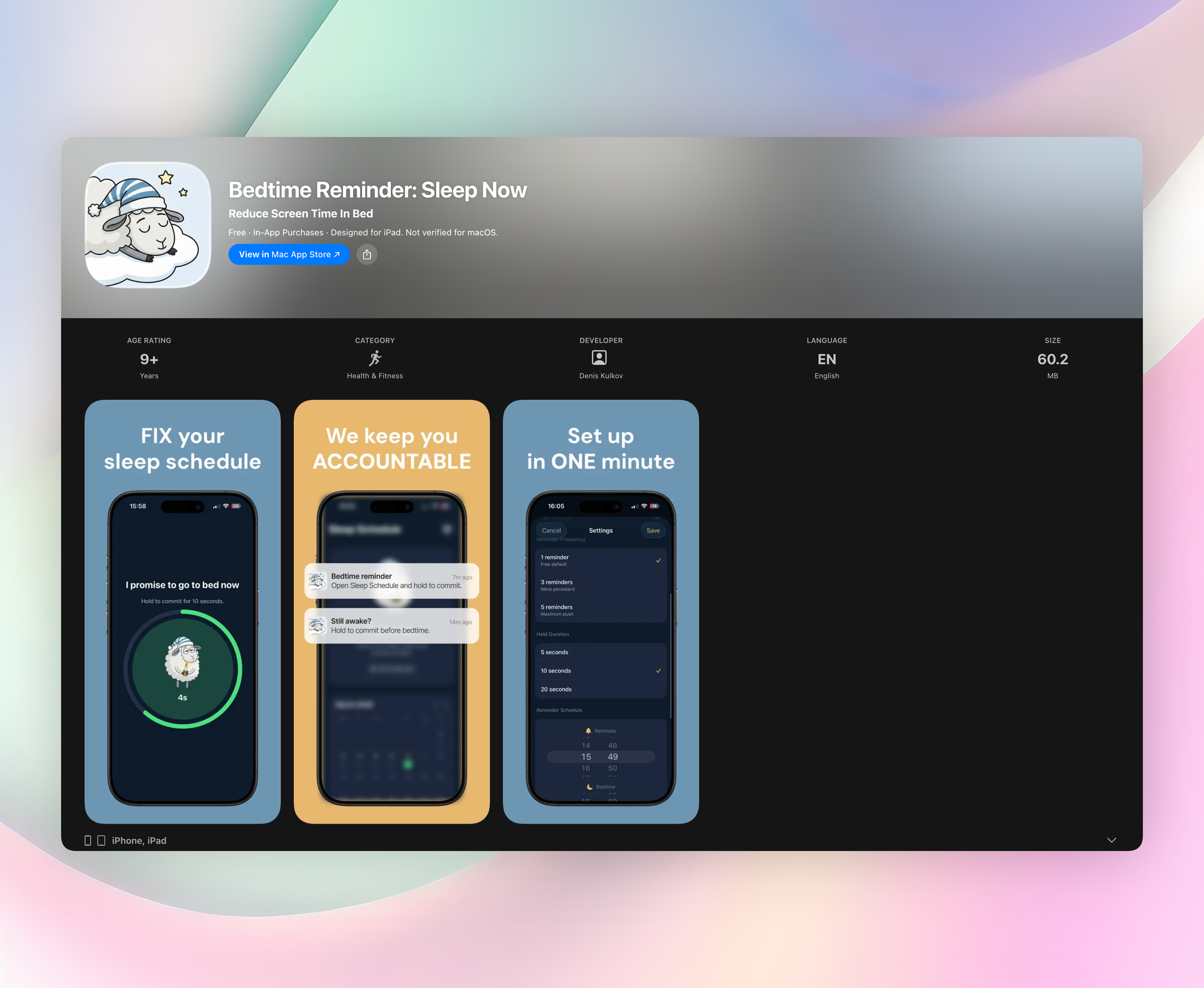
Bedtime Reminder isn’t a tracker or a sound machine. It’s a behavioral nudge that asks you to make a small, conscious decision: to actually end your screen time and go to bed. The mechanic is simple. You set a reminder time and a final bedtime. When the reminder hits, you hold a button to commit: “I promise to go to bed now.” That single action breaks the scroll loop before it devours another hour.
From there, the app sends a gentle follow-up every five minutes until your set bedtime. If you haven’t committed, it keeps nudging. Once you hold to confirm, the night is marked complete, and you see a green check in your calendar. Skip it, and the day stays red. The streak-tracking and calendar view let you see your patterns without any guilt-tripping—just a clean record of the nights you kept your word to yourself.
There’s no sleep tracking, no microphone, no playlists. The app doesn’t measure how you slept; it tackles the root cause of late-night fatigue by cutting off the phone habit before it starts. That behavioral design is why it’s our top pick. You can set a single cutoff time or adjust daily as needed. All sleep history stays on your device.
Platform: iOS. Free to try with a small one-time purchase for full access.
2. Sleep Cycle
Best for: waking up without grogginess by catching you in light sleep.
Sleep Cycle uses your phone’s microphone to listen to movement and breathing, then triggers its smart alarm during a 30-minute window when you’re in the lightest sleep phase. It also detects snoring, sleep talking, and coughing, and compiles nightly reports. The dashboard tracks long-term trends and sleep quality metrics. Available on iOS and Android with a subscription; a basic free tier exists but locks the premium analytics.
3. BetterSleep
Best for: building a personalized pre-sleep soundscape that actually feels relaxing.
BetterSleep packs a huge library of guided meditations, bedtime stories, and mixable ambient sounds, like rain layered over a crackling fire with distant thunder. You can adjust the mix to your exact taste and save favorites. The built-in sleep tracker logs time awake, deep sleep, and overall habits. It’s cross-platform (iOS, Android) with a subscription model and a free trial to explore the catalog.
4. Pillow
Best for: Apple Watch wearers who want detailed sleep-stage graphs automatically.
Pillow syncs with your Apple Watch to record heart rate, audio events like snoring, and sleep apnea notes, then breaks your night into awake, REM, light, and deep sleep stages. The smart alarm nudges you awake in your lightest phase. Trend views and bedtime guidance are locked behind a premium subscription, but basic tracking is free. iOS only.
5. SleepTown
Best for: turning a consistent bedtime into a visually rewarding habit with no charts.
SleepTown gamifies the process: you set a target bedtime, and when you lock the phone on time, you start constructing a virtual building. Stick to the schedule, and your town grows with unique structures. Miss a night, and a building collapses. The gentle accountability and building collection motivate better than a stern reminder. One-time purchase on iOS and Android.
6. Slumber
Best for: drifting off to variety-rich sleep stories when your mind won’t quiet down.
Slumber offers a curated selection of sleep-inducing tales, meditations, and soundscapes designed for people with insomnia. You can layer background effects—rain, ocean, or a crackling fireplace—and adjust volumes independently. Offline listening means no screen glare at bedtime. Available on iOS and Android with a subscription and a free trial that gives full access during the test period.
7. ShutEye
Best for: sleep analysis without wearing any device—just your phone on the nightstand.
ShutEye uses AI to analyze sleep stages, snoring, and sleep talking through the microphone. It presents trend data that correlates sleep quality with daytime habits like caffeine or exercise. There’s a broad set of relaxing sounds and a smart alarm window for gentler mornings. Generous free tier on iOS and Android; advanced insights require a subscription.
8. Sleep as Android
Best for: Android users who need more than an alarm to physically get out of bed.
Sleep as Android pairs sleep cycle tracking with wake-up verification tasks: scan a QR code in another room, solve a CAPTCHA, or tap a barcode to turn off the alarm. It integrates with wearables, Philips Hue lights, and smart home routines. The app’s pro upgrade is a one-time purchase after a free trial. Android exclusive.
How we picked these apps
We tested each app for at least three nights to see how it actually affected bedtime behavior and morning alertness. Setup had to be quick, the core feature had to work without overcomplicating things, and there had to be genuine utility, not bloated wellness platforms dressed up as bedtime apps. We looked for apps with clear bedtime-related features, not general meditation timers or habit trackers.
The list intentionally spans different approaches. Habit nudge apps like Bedtime Reminder target the moment you should put the phone down. Sleep-stage alarms help you wake up less tired. Soundscape and story apps create a wind-down ritual. Gamified tools build consistency through small rewards. We didn’t weigh one style as inherently better, but we prioritized the apps that addressed the root behavior, late-night phone use, rather than just measuring its consequences. No app paid for a spot, and our top recommendation is the one we’d tell a friend to install first.
Frequently asked questions
Do bedtime apps replace a healthy sleep routine?
No app can fix poor sleep hygiene on its own. These tools support a consistent wind-down, a regular schedule, and a dark, cool room, but they don’t replace those fundamentals.
Are free versions good enough?
Most apps on this list offer a functional free tier. Tracking, sound libraries, and habit features often stay free; advanced trend analysis, unlimited content, and smart alarm customization typically sit behind a paywall.
Is microphone sleep tracking accurate?
Phone-based mic tracking is fine for spotting trends like sleep duration and restlessness, but it’s not medical-grade. If you suspect a sleep disorder, consult a professional rather than relying on an app.
What about privacy and audio recordings?
Several apps process audio on-device and don’t store raw recordings. Check each app’s privacy label, especially for cloud uploads, before enabling microphone access overnight.
Can shift workers use a bedtime reminder app?
Yes, many of these apps let you set flexible sleep schedules. Bedtime Reminder allows different daily cutoff times, which works well for rotating or irregular shifts.
The verdict
Bedtime Reminder is the top pick because it stops late-night scrolling before it steals another hour. It doesn’t measure your sleep. It protects it by asking you to commit, then leaving you alone. If your biggest bedtime hurdle is putting the phone down, Get Bedtime Reminder on iOS and see if a simple nudge changes your nights. Other apps can track, soothe, or gamify your sleep, but this one cuts off the problem at the source.
Related reviews
Best 9 Bedtime Alarm Clocks in 2026: Sleep Smarter Tonight
We compare 9 bedtime alarm clock apps for iOS and Android, evaluating smart wake windows, wearable sync, and customizable wind-down reminders to protect your sleep schedule.
Best 9 Insomnia Apps in 2026: Sleep Better Tonight
We compare 9 insomnia apps across platform availability, wearable support, and sleep-tracking methods. Find the right tool to analyze your nights and build better rest habits.

Best 9 Sleep Apps in 2026: Rest Better Tonight
We compare 9 sleep apps across iOS, Android, and wearables, evaluating smart alarms, sleep stage tracking, and bedtime reminder scoring to find your fit.