
Best 9 App Blockers in 2026: Stop Doomscrolling for Good
By Apps We Recommend
Social media scrolling eats more time than most of us want to admit. If you need an app blocker that cuts the habit without demanding accounts or selling your data, Social Media Blocker: Blokt is the best option we tested. Below, we compare nine app blockers for different needs — strict focus sessions, gamified productivity, cross-device blocking — so you can pick the right one fast.
Quick comparison
| App | Best for | Platform | Price |
|---|---|---|---|
| Social Media Blocker: Blokt | Morning/evening blackout windows | iOS | Free |
| Freedom | Cross-device blocking | iOS, Android, Desktop | Paid |
| AppBlock | Cheat-proof focus periods | Android | Freemium |
| Opal | Focus analytics and insights | iOS | Freemium |
| StayFree | Habit-aware alerts | Android | Free |
| Forest | Gamified focus | iOS | Paid |
| BlockSite | Pomodoro-driven blocking | Android | Freemium |
| one sec | Friction-based interventions | iOS | Freemium |
| Flipd | Study groups and lo-fi focus | Android | Free |
Scan the table to see which app blocker fits your phone and goal at a glance. Only Social Media Blocker: Blokt includes a download link below.
1. Social Media Blocker: Blokt
Best for: setting morning and evening social media blackout windows with zero hassle.
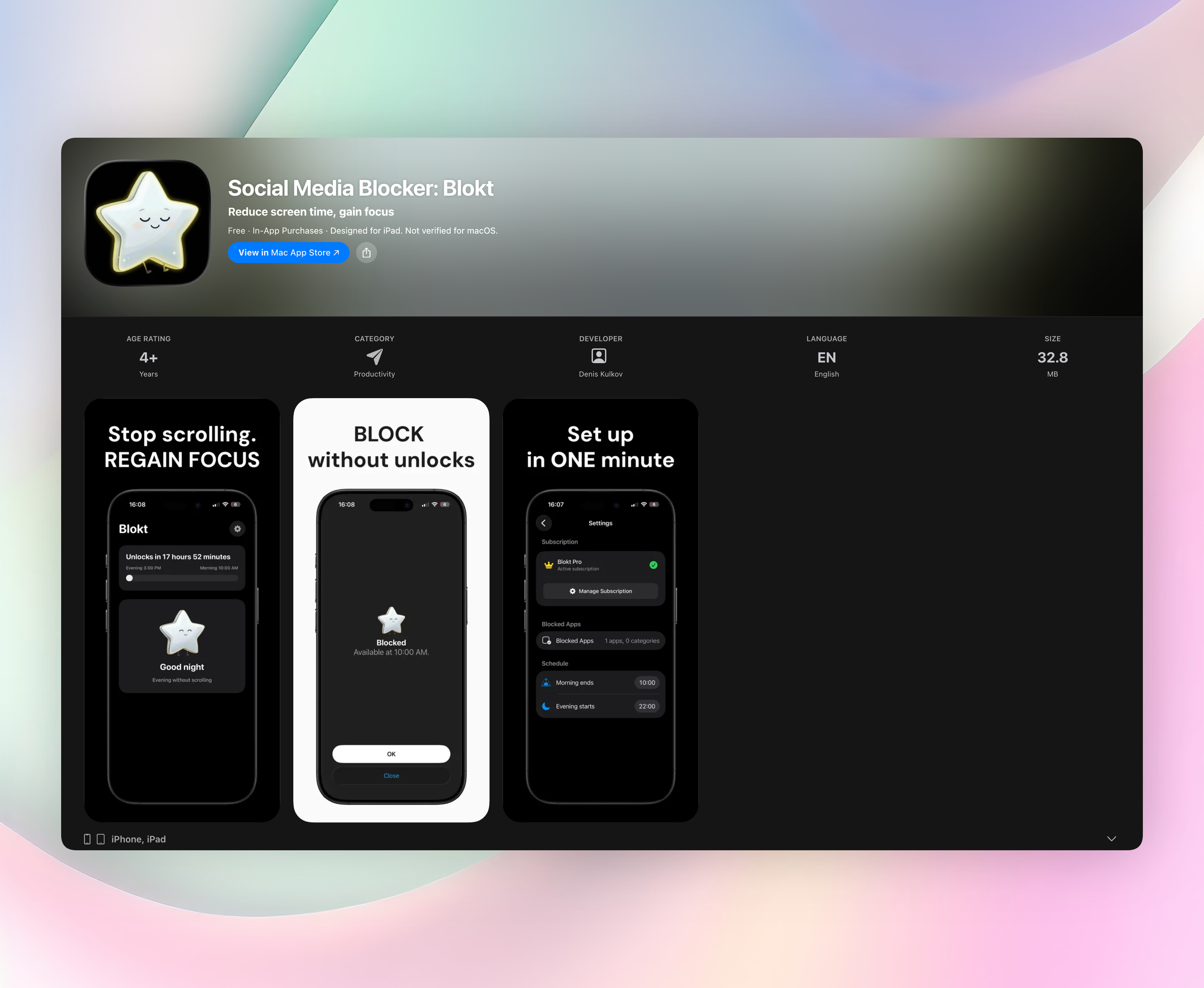
Social Media Blocker: Blokt does one thing cleanly: it blocks social apps during time windows you choose. No extra features, no accounts, no ads, just a firm barrier between you and infinite scrolling.
- Define which morning hours stay scroll-free and when evening wind-down mode begins.
- Choose specific social apps and categories to block during those windows.
- Tap a blocked app and Blokt forces a deliberate pause before the app opens.
- Everything runs on your device—no data collection, no sign-up, no tracking.
What really sets Blokt apart is that forced pause between tapping an icon and the app launching. That half-second gap interrupts muscle-memory scrolling and replaces it with a conscious choice. Most of the time, you realize you didn’t need to open Instagram anyway.
Blokt is iOS only and takes about two minutes to set up. It’s the only app in this article with a direct download link.
2. Freedom - Block Distractions
Best for: synced, cross-device distraction blocking.
Freedom blocks apps and websites simultaneously across your phone, tablet, and computer. You build custom blocklists, schedule focus sessions, and the restrictions apply everywhere at once.
What really sets Freedom apart is recurring scheduling. Set a two-hour deep work block every weekday morning and it locks you out on every device automatically. You configure once and stop thinking about it.
3. AppBlock - Block Apps & Sites
Best for: rigid focus periods you can’t cheat.
AppBlock temporarily blocks distracting apps and websites, then locks you out of your own settings. You pick what gets blocked, choose how long, and activate strict mode.
AppBlock’s strict mode is the real reason to use it. Once it’s on, there’s no way to unblock a distracting app until the timer runs out—even if your willpower cracks at minute 23. The app also protects itself from being uninstalled, so you can’t cheat by deleting it.
4. Opal: Screen Time for Focus
Best for: focus analytics wrapped in a clean interface.
Opal uses a local VPN to block distracting apps and tracks your focus time by category. The design is polished and the daily limit system feels natural rather than punitive.
Opal’s reporting sets it apart. The screen time breakdowns show exactly where your attention went, broken down by app category, with progress visualizations that make improvements visible week over week. You see not just what you blocked but how much focus you gained.
5. StayFree - Screen Time Tracker
Best for: habit-aware usage alerts.
StayFree tracks screen time and blocks apps once you cross your daily limit. Instead of rigid schedules, it watches your usage patterns and intervenes at the threshold you set.
StayFree’s comparative analytics are the highlight. It shows how your current week stacks up against previous ones, so you can spot patterns, like Wednesday evening TikTok rabbit holes, and adjust your limits around real behavior, not guesses.
6. Forest: Focus for Productivity
Best for: making focus feel like a tiny, rewarding game.
Forest plants a virtual tree when you commit to staying off your phone. The tree grows over your focus session. Look at a blocked app and the tree dies immediately.
The guilt factor in Forest is surprisingly effective. That little sting of a withering tree is often enough to make you pause next time. Over days, you build a visible forest that represents hours of real focus.
7. BlockSite: Block Apps & Sites
Best for: Pomodoro-driven blocking.
BlockSite blocks websites and apps on schedules you control, with a built-in work mode timer following Pomodoro intervals. Schedule blocks align directly with work and break cycles.
The built-in Pomodoro timer is the main reason to pick BlockSite. It syncs perfectly with your blocking rules: blocked apps lock when the timer starts and unlock when your break begins. No separate timer app needed.
8. one sec | screen time + focus
Best for: adding real friction to impulsive social app dives.
one sec intercepts app launches using system shortcuts and presents a deep-breath prompt before the app opens. It doesn’t block forever; it inserts a deliberate pause.
The breathing intervention is what makes one sec work. That short forced exhale gives your brain a moment to decide if you actually need to scroll. Most impulsive opens dissolve right there.
9. Flipd: Focus & Study Timer
Best for: study groups and background lo-fi.
Flipd combines a focus timer with hidden distracting apps plus optional study rooms. Ambient lo-fi tracks play while you work, and you can join live sessions with others.
Flipd’s study groups create gentle accountability. Knowing other people are working alongside you, even virtually, makes it easier to stay on task. The lo-fi audio also masks environmental noise and signals your brain that it’s focus time.
How we picked these apps
Real-life testing and daily blocking
We installed each app blocker on a daily-driver phone and used it during actual work sessions and evening downtime. Testing included social media apps, news apps, and mobile games to see how reliably each block held under real temptation. We also noted how easy each blocker was to bypass, a critical detail most reviews skip.
What makes a blocker useful
A useful app blocker needs blocking strength you can’t undo with a few taps, scheduling that fits real life, and a privacy model that doesn’t exploit your data. We favored apps that stayed local on-device, didn’t demand unnecessary permissions, and made setup friction minimal. Cross-platform availability and extra focus tools were bonuses, not requirements.
Why trust this list
We have no sponsor relationships beyond the clear promotion of Social Media Blocker: Blokt at #1. We’ve tested productivity and blocking apps for years and discarded several pushy, broken, or subscription-trapping options along the way. Every pick here earned its spot through hands-on use, not affiliate incentives.
Frequently asked questions
What exactly does an app blocker do?
An app blocker restricts access to specific apps or websites during set times or after usage limits. The goal is reducing mindless distractions and breaking compulsive phone-checking habits.
Do these work on both iPhone and Android?
Some are platform-specific. Social Media Blocker: Blokt, Opal, Forest, and one sec run on iOS only. AppBlock, StayFree, BlockSite, and Flipd are Android-only. Freedom is the main cross-platform option covering iOS, Android, and desktop.
Can app blockers see what I’m doing?
Most operate locally on your device. Opal uses a local VPN for blocking but doesn’t route data externally. Social Media Blocker: Blokt requires no account and collects no data at all—everything stays on your phone. Always check an app’s privacy label before installing.
Which one is best purely for blocking social media?
Social Media Blocker: Blokt. It’s built specifically for social apps, adds a breathing pause before launching, and works without any sign-up, ads, or data collection. If cutting social media time is your only goal, this is the most direct tool.
The verdict
The best app blocker depends on your goal: cutting impulsive social checks, blocking across devices, or building focus accountability. For strict locks, AppBlock and Freedom deliver. For gamification, Forest wins. For analytics, Opal shines.
But if you simply want to stop social media scrolling during the hours that matter most, Social Media Blocker: Blokt is the clearest pick. No accounts, no ads, no data collection, just a firm pause that breaks the scroll reflex. It’s the only app here built exclusively for social media blackout windows, and it does that job without complication.
Related reviews
Best 9 Social Media App Blockers in 2026: Reclaim Your Focus
Compare the top 9 social media app blocker tools for 2026. We evaluate platform availability, scheduling depth, and strict mode enforcement to help you focus.
Best 8 Distraction Blockers in 2026: Reclaim Your Focus
We compare 8 distraction blocker apps across Android, iOS, and desktop, evaluating blocking strictness, scheduling flexibility, and cross-platform sync to find your ideal focus tool.
Best 9 Social Media Blockers in 2026: Reclaim Your Focus
Compare the top 9 block social media apps across iOS, Android, and desktop. We evaluate blocking depth, scheduling, cross-platform sync, and uninstall prevention.